When an LS Vision NVR refuses the network in a luxury estate
An LS Vision network video recorder that will not join the local network can quietly undermine an otherwise flawless luxury security camera system. In a residence where every device is curated, a single IP camera or solar-powered unit dropping offline breaks the sense of seamless vision and control. The objective is to keep every stream stable and every recorder reachable, with the same refinement as the architecture around it.
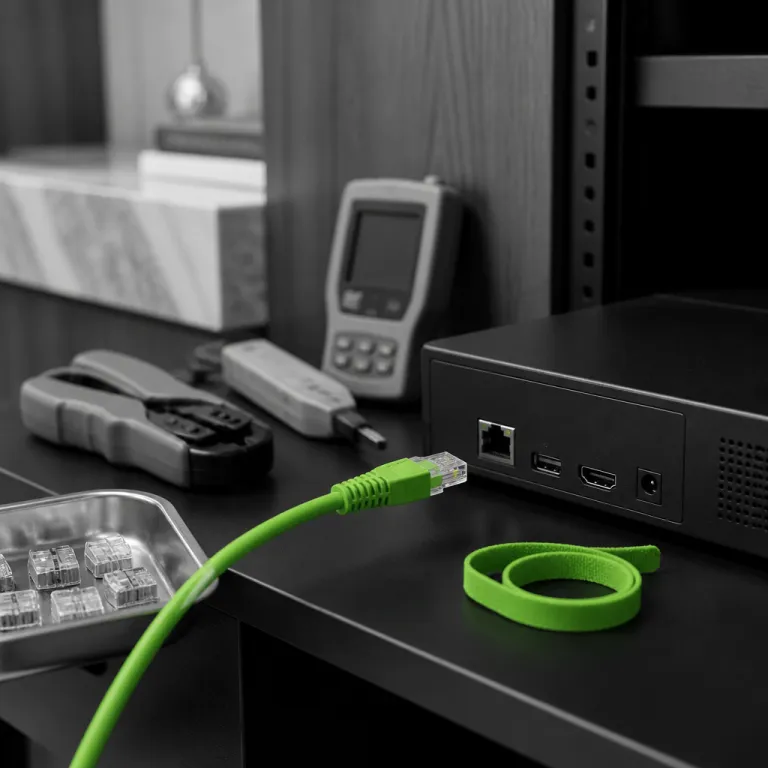
In high end homes, the LS Vision NVR is usually hidden in a dedicated rack, with clean power, structured cabling, and a business grade router feeding the wider network. When the recorder will not join that infrastructure, the issue often lies in IP addressing, frequency band conflicts, or misaligned VLANs rather than simple hardware failure. Treat the LS Vision unit as a critical node in the overall surveillance ecosystem, not as a standalone box.
Start by confirming that the NVR has stable power and that each connected security camera or solar camera is also properly powered or has its battery fully charged. A low power state on a single powered camera can create misleading alerts that look like a network failure, especially when the charge indicator is inaccurate. Luxury installations should include remote power monitoring so you can verify every device and battery status from a mobile app or dedicated control panel, and so that you can see at a glance whether the LS Vision recorder has rebooted or lost power recently.
Network architecture, frequency bands, and LS Vision NVR connectivity
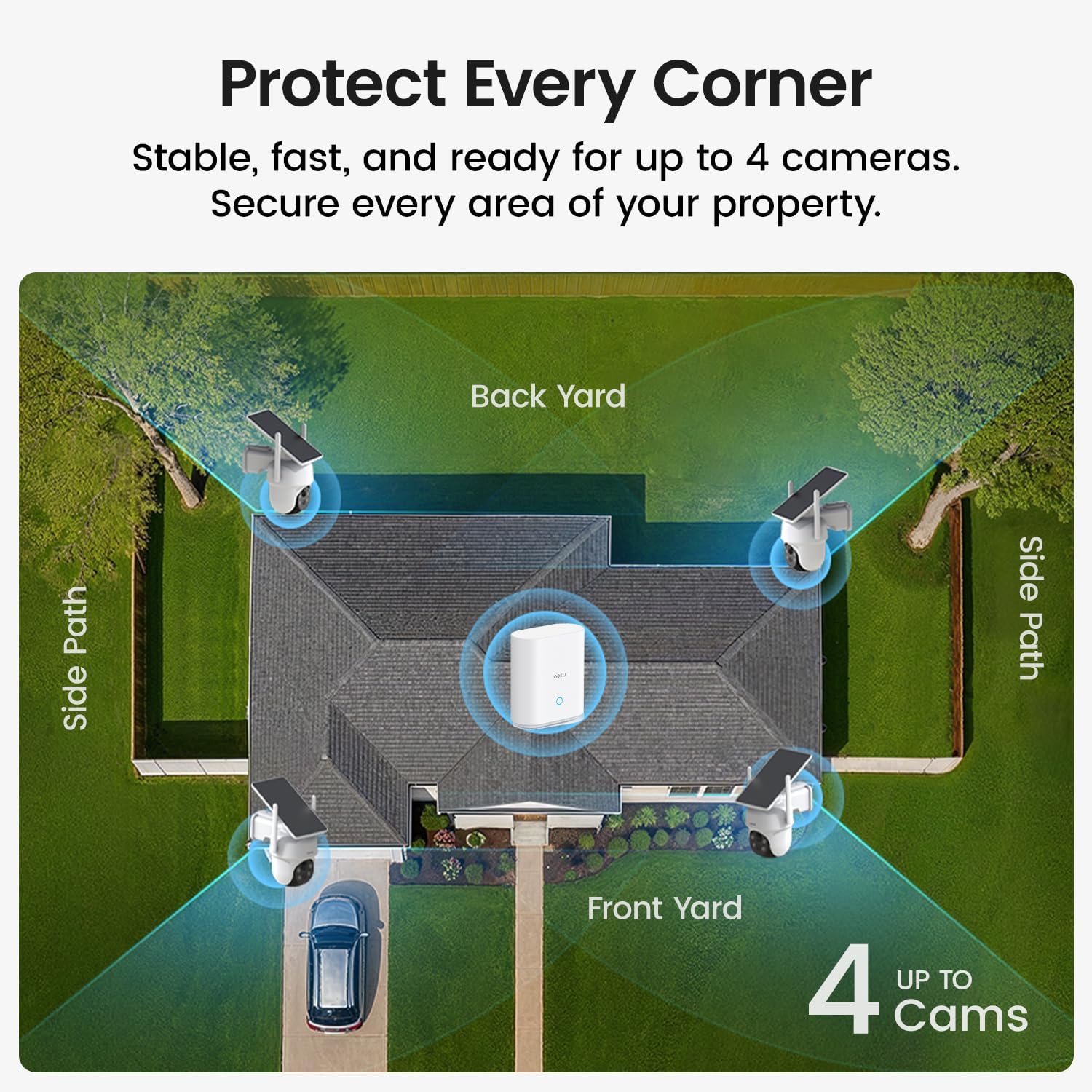
When an LS Vision NVR is not connecting to the network in a large villa, the first diagnostic step is to map the entire path from recorder to router. Many luxury projects use segmented networks, where video surveillance traffic from cameras and solar cameras runs on a dedicated VLAN with its own wireless access points or wired switches. If the NVR is placed on a different segment than the camera system, it will not see any IP camera feeds even though the cameras support the correct protocols.
Pay close attention to the frequency band used by each wireless device, especially if some security camera units rely on 2.4 GHz while others and the LS Vision NVR expect 5 GHz backhaul. A mismatch in band between the recorder, router, and mobile access points can cause intermittent video drops that look like a full “LS Vision NVR not connecting to network” failure. In multi building estates, use managed switches and fiber uplinks to ensure that power over Ethernet, bandwidth, and routing rules are all aligned with the NVR requirements, and verify switch port status LEDs and VLAN tags for the ports feeding the recorder and access points.
For properties using 4G or 5G backup links, confirm that the router’s SIM card is active and that the LS Vision NVR has the correct gateway and DNS settings. Some IP camera models and solar camera units send video directly to cloud storage when the primary network fails, while the recorder continues local archiving on its internal drives. Experienced integrators who secure modern luxury estates for demanding clients often design redundant paths so that video surveillance never depends on a single network device, following practices documented in professional surveillance design guides and premium residential case studies.
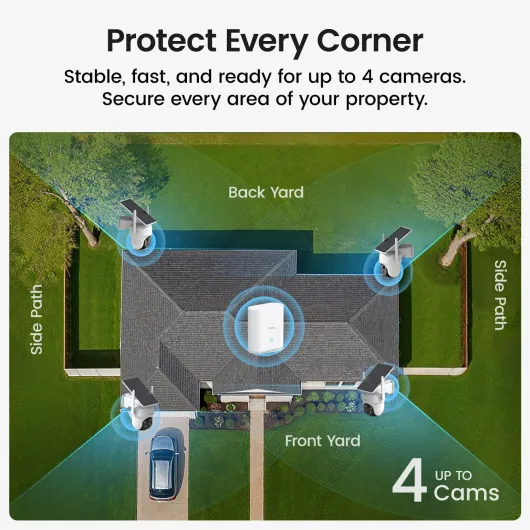
- + No subscription required — use locally without recurring fees
- + Solar-powered for extended, cable-free operation
- + Wireless design allows flexible placement and easy installation
- + 360° pan & tilt with auto-tracking for broad coverage
- + 2K color night vision improves low-light detail compared with basic IR

Power, solar panels, and elegant off grid reliability
In many luxury retreats, LS Vision NVR installations coexist with solar cameras and remote security camera units powered by discreet photovoltaic panels. When owners report an LS Vision NVR not connecting to network issue, the root cause is sometimes a low power condition on a distant solar camera rather than a fault in the recorder itself. A refined design treats power, solar, and network as a single integrated system.
Each solar camera and each powered camera should have its battery health monitored, with alerts when the charge level drops below a defined threshold. If a camera working at the edge of the property loses power, the NVR may show it as offline, misleading users into thinking the entire camera system has failed. Luxury integrators therefore specify oversized solar panels and low power electronics to keep camera support functions stable even during long periods of poor sunlight, and they document expected runtime so that any deviation becomes a clear diagnostic clue.
For elevated PTZ mounts and architectural façades, careful placement of solar panels ensures that every network camera maintains both power and optimal vision over key approach lines. A well designed system will route cables so that the LS Vision NVR, the main router, and any cloud connected device share a clean electrical environment with surge protection. Detailed planning of solar panels, battery banks, and backup generators keeps video surveillance and recording continuous, aligning with refined smart home elegance standards highlighted in elevated PTZ mount solution case studies and premium off grid security design references.
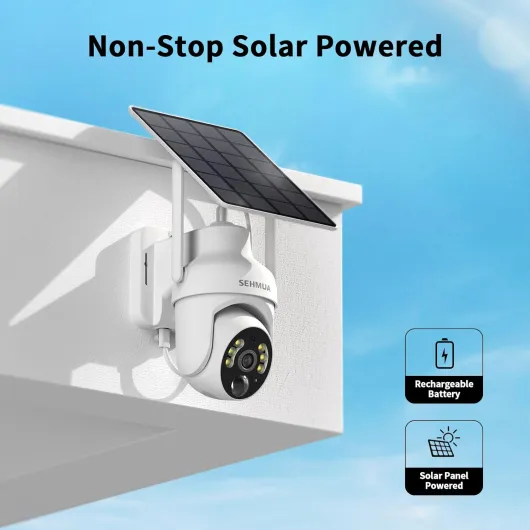
- + 2K resolution for clearer, more detailed video
- + 360° pan/tilt coverage to reduce blind spots
- + Wireless Wi‑Fi connectivity for flexible placement
- + Color night vision for better nighttime identification
- + Easy installation — quick setup advertised
Cloud, mobile control, and LS Vision NVR integration
Luxury owners expect to manage their LS Vision NVR, each security camera, and every solar camera from a polished mobile app on a flagship phone. When the recorder is not connecting to the network, that mobile experience collapses, leaving blank tiles where live video should appear. The remedy is to align local NVR settings, cloud storage accounts, and app permissions into a coherent architecture.
First, verify that the LS Vision NVR can reach the internet through the primary network, then confirm that cloud storage credentials match those used in the mobile app. Many LS Vision devices require you to scan QR code labels on the NVR or each IP camera to bind them securely to your account, and any mismatch will prevent remote video access even if local recording continues. In high security residences, it is wise to separate the guest wifi from the security system network so that only trusted phones and tablets can control the recorder, and to use strong passwords and two factor authentication where the platform supports it.
Once connectivity is restored, test the mobile app on multiple phones to ensure that push notifications, live video, and playback of recording archives all function smoothly. A well tuned LS Vision NVR will present each camera, including solar cameras and indoor cameras, with clear naming and logical grouping for different wings of the property. Owners who already follow the evolution of luxury wearables and connected devices, such as those highlighted in recent Samsung Galaxy Unpacked coverage, will appreciate the same level of polish and responsiveness in their home security interfaces when every stream loads quickly and alerts arrive without delay.
Advanced diagnostics for LS Vision NVR and camera systems
When basic checks fail to resolve an LS Vision NVR not connecting to network problem, advanced diagnostics become essential in a high value residence. Start by logging into the LS Vision NVR interface directly, then review IP addresses, gateway settings, and whether each connected camera or solar camera is reachable via ping. A disciplined approach treats every device, from the core router to each network camera, as a node to be tested and verified.
Inspect the NVR logs for repeated disconnections, authentication errors, or conflicts with camera firmware versions. Some LS Vision recorder models require that all cameras in the system run compatible firmware, otherwise video streams may fail even though the camera status LEDs look normal. In complex estates, integrators often maintain a configuration file documenting each security camera, its recording profile, and its assigned port on the switch, along with notes on which firmware build and codec settings have proven stable.
For installations using cellular backup, confirm that the SIM card is provisioned for the correct data plan and that the router’s frequency band matches the carrier’s recommendations. If remote access still fails, test whether the mobile app can connect over a local wifi network before relying on external cloud paths. This layered testing method isolates whether the LS Vision NVR not connecting to network symptom is caused by local routing, internet access, or cloud account configuration, and it gives technicians a repeatable workflow they can document for estate staff.
Designing resilient LS Vision NVR ecosystems for luxury smart homes
Preventing future LS Vision NVR not connecting to network incidents starts at the design stage of a luxury smart home. A resilient architecture combines wired and wireless links, redundant power, and carefully segmented networks to keep every security camera and solar camera online. The LS Vision recorder then becomes the orchestrator of a balanced ecosystem rather than a single point of failure.
Specify enterprise grade switches and a robust router, then map dedicated VLANs for video surveillance, guest access, and general home automation. Each network camera, powered camera, and solar camera should be assigned a static or reserved IP address, making it easier to track camera status and recording performance over time. Integrators should document where each device is installed, how its solar panels are oriented, and which UPS protects its power feed, so that any future troubleshooting starts from a clear and accurate topology.
For exterior perimeters, pair LS Vision NVR units with PTZ cameras on engineered mounts, ensuring that solar panels and low power electronics keep them operational even in remote corners of the property. Internal spaces can rely on discreet indoor cameras that stream to both local NVR storage and encrypted cloud storage for offsite resilience. When all these elements are aligned, the LS Vision NVR will maintain a stable connection to the network and deliver the level of reliability expected in a truly luxurious smart home, even as new devices and automation features are added over time.
Key statistics on luxury video surveillance reliability
- Industry surveys of residential NVR deployments consistently report that a majority of issues in premium projects are traced to network configuration errors rather than hardware faults, underscoring the importance of correct routing and VLAN design.
- Technology reports on solar energy show that modern photovoltaic panels have improved average conversion efficiency from roughly the mid-teens to above 20 % in the last decade, which directly benefits solar camera uptime in remote luxury properties.
- Research into professionally installed residential security systems indicates that households with integrator supported camera deployments are significantly more likely to maintain long term subscription cloud storage plans, reflecting higher expectations for continuous recording and remote access.
- Telecommunications regulators in Europe note that 2.4 GHz frequency band congestion is a leading cause of wifi performance degradation in dense urban areas, making 5 GHz and wired backbones preferable for LS Vision NVR connectivity in city penthouses.
FAQ about LS Vision NVR connectivity in luxury smart homes
Why is my LS Vision NVR not connecting to the network while cameras still have power ?
If cameras and solar cameras show power but the LS Vision NVR is offline, the issue is usually IP configuration, gateway settings, or a misconfigured switch port. Verify that the recorder and each network camera are on the same subnet and VLAN, then confirm that the router’s DHCP or static reservations match the documented plan. Once aligned, the NVR should see every security camera and resume recording.
Can solar cameras cause LS Vision NVR connectivity problems in large estates ?
Solar cameras themselves do not break network links, but low power conditions or depleted batteries can make individual cameras appear offline at the NVR. When several solar cameras drop simultaneously after cloudy days, owners sometimes assume an LS Vision NVR not connecting to network failure. Monitoring battery levels and oversizing solar panels usually prevents these misinterpretations.
How do I use a mobile app to diagnose LS Vision NVR issues ?
A well designed mobile app lets you check whether the LS Vision NVR is reachable locally over wifi before testing remote cloud access. If the app connects on the home network but not over cellular, the problem lies in router port forwarding or cloud account binding. If the app cannot see the recorder even on local wifi, focus on cabling, IP addressing, and NVR status LEDs.
Should I rely on cloud storage or only on local LS Vision NVR recording ?
For luxury properties, combining local LS Vision NVR recording with encrypted cloud storage offers the best resilience. Local disks provide high bitrate video and fast playback, while cloud storage protects critical footage if the recorder or on site hardware is damaged or stolen. Many owners choose hybrid setups where key cameras record both locally and to the cloud.
When is it time to call professional support for LS Vision NVR problems ?
If you have checked power, network cabling, IP settings, and mobile app configuration yet the LS Vision NVR still will not connect, professional support is warranted. Experienced integrators bring protocol analyzers, managed switch expertise, and familiarity with LS Vision firmware quirks. In high value estates, that expertise protects both security and the overall elegance of the smart home.
References
- IPVM – Professional video surveillance testing and market research on residential deployments and NVR reliability
- Parks Associates – Smart home and residential security market analysis, including cloud storage adoption trends
- International Energy Agency – Solar energy technology and efficiency reports on photovoltaic performance improvements