Summary
Editor's rating
Value for money: powerful but pricey and not for everyone
Design and build: discreet box, nothing flashy but solid
Durability and reliability over time
Performance and range: fast reactions, strong Z‑Wave network
What the Fibaro Home Center 3 actually offers
Effectiveness as a smart home brain: powerful but not plug‑and‑play
Pros
- Very fast and stable performance thanks to quad‑core CPU and 2 GB RAM
- Strong Z‑Wave range and good support for multiple brands once configured
- Powerful automation options with both block scenes and LUA scripting
Cons
- High price compared to simpler hubs
- Mobile app is cluttered, limited, and not very intuitive
- Can be difficult for beginners; some devices need manual parameters or scripts to work properly

Specifications
View full product page →| Brand | Fibaro |
A serious hub for people who like to tinker
I’ve been playing with smart home gear for a while (mainly Zigbee bridges and some Wi‑Fi plugs), and I picked up the Fibaro Home Center 3 because I wanted a proper Z‑Wave brain instead of juggling different apps. On paper, the HC3 looked solid: quad‑core CPU, 2 GB RAM, 5th‑gen Z‑Wave chip, Wi‑Fi 5, and a bunch of options for scenes and automation. Basically, it’s the kind of box you buy when you’re tired of cheap hubs that freeze or lose devices.
In practice, it’s not a plug‑and‑play toy. This thing is closer to a small home server than a casual hub. The interface is packed with options, the scene system can go from simple blocks to LUA scripting, and you feel that Fibaro built it more for people who like to tweak stuff than for someone who just wants to turn on a lamp with Alexa in five minutes. If you expect a smooth, idiot‑proof setup, you might be in for a surprise.
What pushed me to try it anyway were two things: the promise of better performance and range than the older HC2, and the idea that it could handle a mix of brands without complaining too much. Some reviews said it handled Devolo, Qubino, Danfoss and random Z‑Wave gear pretty well once configured, and that’s roughly what I saw too. But I also ran into the other side of the story: devices that are detected but not fully usable, weird parameters, and an app that feels half‑baked.
So overall, my experience is that the Home Center 3 is a strong box that can do a lot, but it demands time, patience, and a bit of willingness to dig into forums or ask an AI for LUA scripts. If you’re okay with that, there’s a lot to like. If you want something dead simple, it’s probably not the right move and will just sit in the box like one of the angry Amazon reviewers said.
Value for money: powerful but pricey and not for everyone
Let’s be blunt: the Fibaro Home Center 3 is not cheap. You feel it as soon as you compare it to basic Zigbee hubs or small Wi‑Fi bridges. The question is whether the price makes sense for what you get. In my opinion, the answer depends heavily on your profile. If you’re already deep into Z‑Wave, with several modules from different brands (Fibaro, Devolo, Qubino, Danfoss, etc.), and you want one solid hub with good range and advanced automation, then the HC3 starts to look like a reasonable investment. One user who migrated from Devolo said it’s expensive but worth the money for the stability, speed, and flexibility.
On the other hand, if you only have a couple of smart bulbs and two plugs, and you don’t plan to expand much, this box is overkill. You’ll pay a lot for features you won’t use: LUA scripting, advanced parameters, complex scenes, backup options, and so on. In that case, cheaper hubs or even a simple voice assistant with built‑in routines will do the job for far less money and much less effort. The angry 1‑star review calling it a "worthless piece of electronics" is clearly from someone who expected plug‑and‑play simplicity and didn’t get it. For that user type, the value is basically zero.
What drags the perceived value down for me is mainly the mobile app experience. Several users, and I agree, find the Fibaro/Yubii app cluttered, not very intuitive, and limited for deeper management. You’re forced to use the web interface for serious configuration anyway, which is fine on a computer but less fun if you wanted to do everything from your phone. For the price, I expected a cleaner and more polished app. Also, device support is good for many Z‑Wave brands but not universal, so you may still need to fiddle or even write scripts for some gear.
So, in short, I’d say the value is pretty solid for advanced users or enthusiasts who want a stable, flexible, and powerful Z‑Wave hub and are ready to spend time on setup. For beginners or casual users, the price is hard to justify, and there are cheaper and simpler alternatives that will feel less frustrating. It’s not a bad purchase, but it’s a niche product: good value in the right hands, poor value in the wrong ones.
Design and build: discreet box, nothing flashy but solid
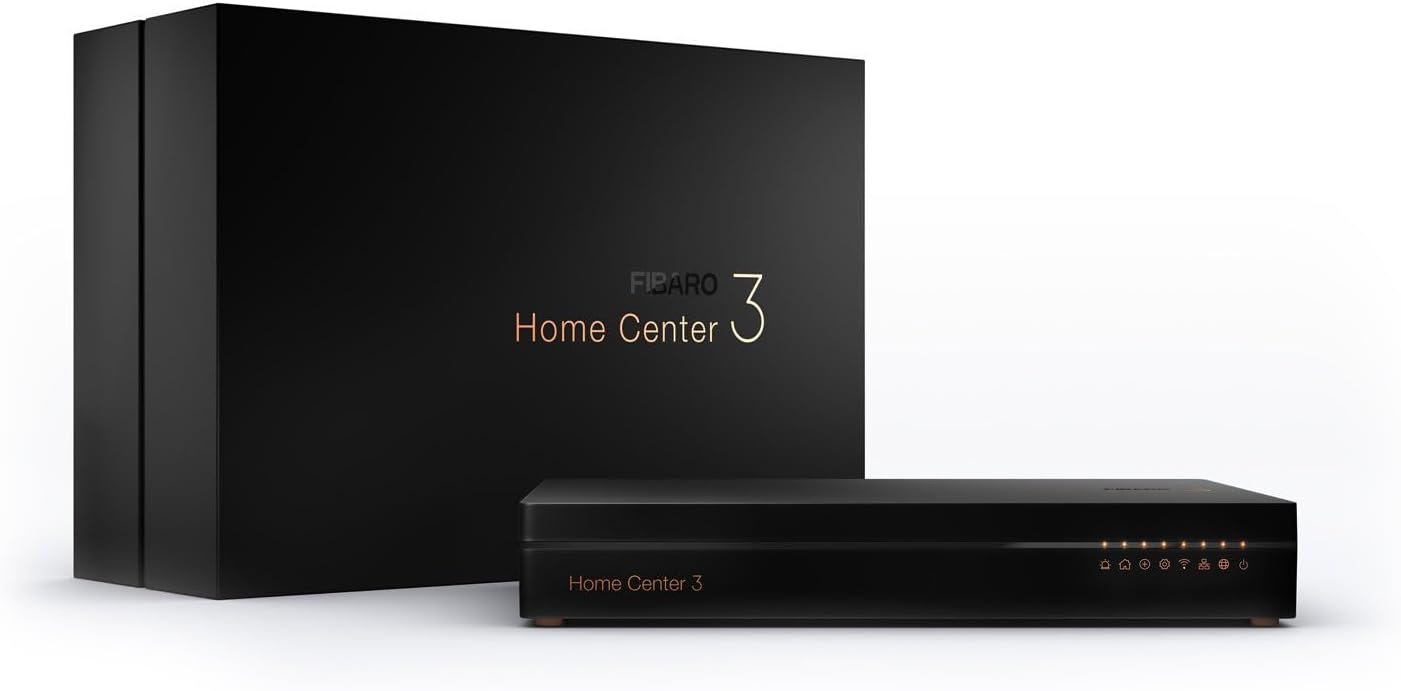
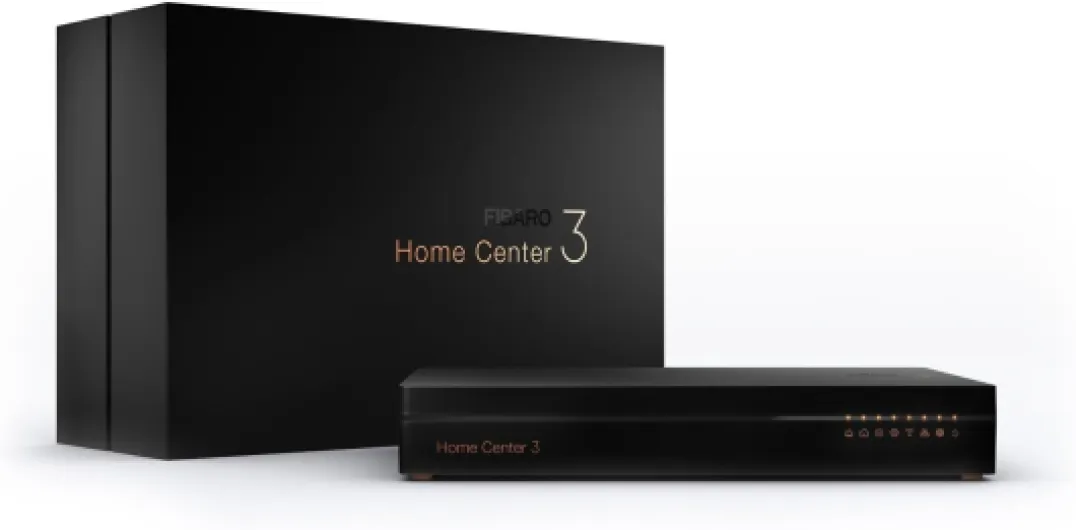
Physically, the Fibaro Home Center 3 is a pretty simple black box. The dimensions are 22 x 14 x 4 cm, so it’s flat and easy to slide into a TV cabinet, on a shelf, or next to your router. It doesn’t scream for attention, which I liked. This is the kind of device you install once and basically forget about visually. The front has a clean look with a small display area (LCD mentioned in the specs), and the rest is just a matte black finish that doesn’t pick up fingerprints too badly.
The casing material is listed as acrylic, so don’t expect a heavy metal chassis or anything fancy. It still feels decent in hand: no creaks, no weird gaps, it doesn’t feel like a toy. It’s light enough that you might want to place it on a non‑slippery surface so it doesn’t move when you unplug cables. Ports are straightforward: power, Ethernet, and that’s basically it. Antennas are built‑in, so you don’t have any ugly sticks pointing out, which is nice if you care about how your TV cabinet looks.
One thing to note is the operating temperature is listed as 20°C, which sounds a bit weird because most people don’t live in a room constantly at 20°C. In practice, I had it in a normal living room that goes between 18–25°C and didn’t notice any issues. The box gets slightly warm but never hot, and the ventilation seems enough for what it does. There’s no fan noise, so it’s silent, which is good if you put it in a bedroom or an office.
Overall, I’d say the design is functional and discreet. It’s not something you buy for looks, but it doesn’t look cheap either. Compared to some plasticky hubs from other brands, it feels a bit more serious, without being luxurious. If you want something that blends in and doesn’t shout “tech gadget”, this does the job. Just don’t expect any fancy screen or touch controls on the device itself; everything happens through the web interface or the app.
Durability and reliability over time
For durability, we don’t have 10 years of hindsight, but there are a few concrete things to look at. First, the hardware itself: no moving parts, no hard drive, just solid‑state memory (8 GB eMMC) and passive cooling. That usually means fewer things that can break. The 2‑year manufacturer warranty is standard, not super generous, but acceptable for this kind of product. The casing in acrylic doesn’t scream premium, but it also doesn’t feel flimsy, and once it’s installed, you’re not going to touch it much anyway.
In terms of software reliability, user feedback is generally positive. People mention stable operation, no constant crashes, and good uptime. One reviewer who moved from a Devolo HC said the HC3 was more stable in terms of communication: devices in the garden, previously dropping several times a day, stayed connected constantly. That’s not exactly “durability” like a hammer, but for a smart hub, reliable radio communication over months is what matters most. During my time with it, I didn’t see reboots or weird freezes.
The bigger durability question is more about ecosystem support. Fibaro is a known brand, based in Poland, and has been around in the smart home space for years. They still release firmware updates and seem to maintain the platform. Compared to brands that suddenly shut down their servers (like Devolo did, forcing people to move), Fibaro looks more serious and long‑term. The fact that you can save backups locally and on the Fibaro server is also reassuring: if something goes wrong, you can restore your config instead of rebuilding everything from scratch.
So, my feeling is that the HC3 is built to last as a central hub. The hardware should easily survive many years in a normal indoor environment, and the software side seems stable. Of course, as with any smart home system, the real risk is more about the company’s long‑term support than the plastic box itself dying. For now, Fibaro still looks active enough that I’m not worried in the short to medium term. Just don’t expect miracles from the acrylic case; it’s sturdy enough, but I wouldn’t drop it off a shelf on purpose.

Performance and range: fast reactions, strong Z‑Wave network
On performance, the Fibaro Home Center 3 is where things get interesting. The combo of quad‑core CPU and 2 GB RAM isn’t just marketing. In daily use, commands fire quickly. When I trigger a scene or ask Alexa to control a device through the HC3, the reaction is basically instant or with a tiny delay, much shorter than what I’ve seen on some older hubs. Other users say the same: compared to a Devolo HC, for example, the HC3 feels clearly snappier, with fewer random delays.
The Z‑Wave range is also one of the good points. Fibaro claims up to 75 m, and while that’s always “ideal conditions” talk, in a real house with thick walls and even triple glazing, people reported stable connections to devices in a garden shed about 15 m away, where previous hubs were dropping the link several times a day. In my case, devices on another floor and behind two walls stayed reachable and responsive, which wasn’t always the case with cheaper Z‑Wave controllers I tried before. The built‑in antennas seem to do a solid job.
Where performance gets trickier is on device compatibility and control options. Some users, including me to a smaller extent, have seen situations where a device is recognized but not fully functional (no switchable options, or only basic on/off while more features exist). For instance, some Devolo and Danfoss thermostats or shutter modules needed manual parameter tweaking or LUA scenes to work properly (like getting 50% open on shutters instead of just fully open/close). That’s not a speed problem, but it affects how “usable” the performance feels out of the box.
Once properly configured, though, the HC3 runs scenes and automations very reliably. The debug mode is handy: you can see where a scene fails and adjust. I didn’t experience random reboots or crashes during my tests. So my view is: raw performance and stability are strong, but the time you spend to get every device working as you want will depend a lot on the brands you own and your willingness to dive into parameters and maybe LUA. If you’re ready for that, the HC3 can handle a pretty loaded and complex setup without sweating.
What the Fibaro Home Center 3 actually offers
The Fibaro Home Center 3 is basically the central brain for your home automation, focused mainly on Z‑Wave but also playing with other stuff. Inside you get a quad‑core Cortex A53 at 1.2 GHz, 2 GB of LPDDR3 RAM, and 8 GB of eMMC storage. That’s more than enough for a hub, and you feel it: menus load quickly, scenes trigger without lag, and with several devices added, it doesn’t choke. Power is via a 12 V DC adapter (included), and networking is done with a standard RJ45 Ethernet port (10/100) plus Wi‑Fi (b/g/n/a/ac).
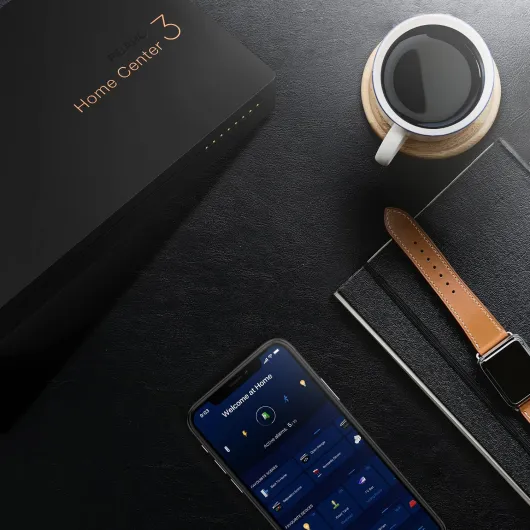
Protocols are the interesting part. You get Z‑Wave (Series 500) with a stated range of up to 75 m, built‑in antennas, and support for different frequency bands (868–870 MHz depending on region). There’s also Wi‑Fi 2.4 and 5 GHz, and according to users, it can be used in setups where you mix Z‑Wave actuators, thermostats, shutters and so on from different brands. Fibaro pushes features like climate panels, alarm panels, garden management, and configurable profiles (home, away, night, etc.). You control everything via a web browser or the Fibaro mobile app (Android and iOS).
On the software side, the big selling point is the scene system. You can create simple block scenes (drag‑and‑drop style) or go hardcore with LUA scripting. You can also add plugins and build your own small apps. Voice assistants are supported: Google Assistant, Amazon Alexa, and Siri (through HomeKit integration tricks). In theory, that means you can control lights, heating, blinds, and alarms all by voice or automations. In reality, it depends a lot on how well your devices are supported and how much time you’re ready to spend tuning parameters.
From a user point of view, I’d say the HC3 is a feature‑rich but demanding hub. It’s not limited like some basic Zigbee bridges, and you can dig deep into device parameters, do backups (local and cloud), and debug scenes with logs. But that comes with a learning curve. If you come from something super simple like a Devolo HC with a very guided interface, the HC3 will look busy and a bit harsh at first. It’s clearly built for people who want control and are not afraid to read manuals or search forums.
Effectiveness as a smart home brain: powerful but not plug‑and‑play
In terms of effectiveness as the main hub of a smart home, the Fibaro Home Center 3 is a bit of a double‑edged sword. On the positive side, it really can centralize a lot: climate control, alarms, garden watering, lighting, shutters, and various sensors. The interface lets you create different profiles (home, away, night, vacation) and link them to scenes. For example, you can easily set a profile that turns off all lights, lowers the heating, and arms the alarm when you leave. When it works, it’s very satisfying because you feel everything is finally under one roof.
The scene creation is one of the strong points. You can start with block scenes, which are visual and fairly accessible: “IF motion detected in hallway AND time is after sunset THEN turn on hallway light at 30%”. For many users, that’s already enough. If you’re more advanced, you can switch to LUA scenes and do much more complex logic. One Amazon reviewer even mentioned asking an AI to write LUA scripts for unsupported devices, and after some trial and error, they got everything running the way they wanted. That’s the level of flexibility you get here.
On the downside, effectiveness drops if you expect universal compatibility without effort. One very negative review sums it up: some devices were either not recognized at all or recognized but with no useful controls in the interface. I had a milder version of that: some generic Z‑Wave devices showed up but needed parameter digging to behave correctly. If you come from an ecosystem where everything is certified and automatically mapped (like some closed Zigbee systems), it can feel frustrating to buy a pricey hub and then spend evenings tuning configuration values.
Regarding voice assistants, integration with Alexa and Google Assistant is decent. Devices and scenes show up, and voice commands work quickly. With Siri, it’s more roundabout and depends on how you bridge it, but it’s doable. The problem is more on the app side (I’ll get to that) and on the initial learning curve. So overall, I’d say the HC3 is very effective if you invest time into it. If you’re hoping to just plug it in and have all your random devices magically work perfectly, you might find it more "meh" and feel like you overpaid for a complicated box.
Pros
- Very fast and stable performance thanks to quad‑core CPU and 2 GB RAM
- Strong Z‑Wave range and good support for multiple brands once configured
- Powerful automation options with both block scenes and LUA scripting
Cons
- High price compared to simpler hubs
- Mobile app is cluttered, limited, and not very intuitive
- Can be difficult for beginners; some devices need manual parameters or scripts to work properly
Conclusion
Editor's rating
The Fibaro Home Center 3 is a strong smart home hub with serious hardware, good Z‑Wave range, and a lot of flexibility. When you look at the quad‑core CPU, 2 GB RAM, stable operation, and the ability to build both simple block scenes and advanced LUA scripts, it clearly targets people who want more than basic on/off automations. In real use, commands are fast, the network is stable, and the box handles a mix of Z‑Wave devices from different brands pretty well once you’ve done the setup work.
But it’s not for everyone. The interface is dense, the learning curve is real, and the mobile app is far from perfect: cluttered, not very intuitive, and limited for deep configuration. Some devices are recognized but not fully usable without tweaking parameters or writing scripts, which will frustrate anyone expecting a smooth plug‑and‑play experience. Add to that a fairly high price, and you can see why some users love it while others hate it.
If you’re an enthusiast or advanced user with several Z‑Wave devices, willing to spend evenings tuning your setup and maybe touching some LUA, the Home Center 3 is a solid choice. You get a stable, powerful hub that can genuinely centralize your home and work well with Alexa and Google Assistant. If you’re a beginner or casual user who just wants something simple and cheap to run a few lights, I’d skip this and look for something more basic and user‑friendly. In short: strong tool, but best in the hands of someone who actually wants to tinker.