Summary
Editor's rating
Value for money: worth it only if you’re all‑in on Lightwave
Small white box you’ll probably hide in a cupboard
Reliability and long‑term use
Performance: solid once installed, but picky about networking
What the L2 Link Plus actually does (and doesn’t do)
How well it actually controls your home day to day
Pros
- Works reliably and quickly once properly set up (commands and schedules are stable)
- Good integration with Google Assistant and Apple HomeKit, including many older Lightwave devices
- Two‑way feedback and remote access make it easy to check and control devices when away from home
Cons
- Fussy about network setup – often needs a direct router connection and doesn’t always like switches
- Only works with Lightwave devices, so you’re fully locked into a single ecosystem
- Price is relatively high compared to more flexible smart home hubs and older Lightwave hubs

Specifications
View full product page →| Brand | Lightwave |
A hub that’s great… if you’re already committed
I’ve been using the Lightwave L2 Link Plus hub for a few weeks now, replacing an older first‑gen Lightwave hub that finally gave up. I already had a bunch of Lightwave kit installed – dimmers, sockets, and a couple of plug‑in modules – so for me this wasn’t a fresh start, it was more like swapping the brain of the system. That’s important, because this hub is basically useless if you don’t plan to go in on the Lightwave ecosystem. On its own, it just sits there with a cable and a light.
The main thing I wanted was proper integration with voice assistants and a more stable app. The old hub felt dated and the app was clunky. With the L2 Link Plus, I hooked it up to Google Assistant and Apple HomeKit, and that alone made a big difference in how we actually use the lights at home. Instead of hunting for the phone or wall switches, everyone just barks at Google or Siri, and it works most of the time without drama.
Where it gets less rosy is the setup and networking side. It’s not the worst I’ve seen, but it’s also not the plug‑and‑play experience you’d hope for in 2024. The big catch: it really wants to be plugged directly into your router, not into a network switch. If your router only has a couple of ports and you already use a switch, you’ll probably have to shuffle cables or buy extra gear. That’s a bit annoying for a simple hub that doesn’t move much data.
Overall, my first impression is: good hub if you’re already in the Lightwave world and ready to tinker a bit, but not something I’d recommend as your first step into smart homes in general. It works well once it’s running, but the setup quirks and the price mean it’s not exactly a casual purchase. I’ll break down what I liked and what bugged me in more detail below.
Value for money: worth it only if you’re all‑in on Lightwave
On the money side, the L2 Link Plus is not cheap for what it is: a small hub that only works with one brand’s devices. It’s also roughly twice the price of Lightwave’s older Connect Series hub, according to some reviews. So you’re paying a premium for the newer Smart Series support, better app, and modern integrations like HomeKit and more stable Google/Alexa support. If you already have a house full of Lightwave Smart Series kit, the cost is easier to swallow because the hub unlocks voice control, remote access, and automations that make all that hardware more useful.
If you’re starting from scratch though, I’d think twice. For the price of this hub plus some Lightwave dimmers, you could easily go with another ecosystem – like Philips Hue for lights, or a mix of Zigbee/Z‑Wave/Thread gear with a more flexible hub – and have more brand choice and better expansion options. Lightwave’s big selling point in the UK is that their switches look like standard wall switches and don’t need neutral wires, which is handy in older homes. If that’s exactly what you need, the hub becomes almost mandatory, so the value question is more about the whole system than just this box.
In terms of what you actually get for the price, you get: stable control, decent app, multi‑assistant support, and generally reliable performance once it’s set up correctly. On the downside, you also get a device that can be fussy about network switches, has limited range extension options, and locks you into one brand. For some people, that’s fine; they just want a clean, simple lighting system that works with their existing wiring. For more tech‑savvy users who like to mix brands and experiment, this feels a bit restrictive for the cost.
So, value rating from me: pretty solid if you’re already invested in Lightwave or specifically need their style of switches; mediocre if you’re just casually looking at smart home options. There’s better flexibility elsewhere for similar or slightly higher money, but in the specific niche of UK retrofit smart switches with no neutral, Lightwave doesn’t have a lot of direct competition, which is why people put up with the price and quirks.
Small white box you’ll probably hide in a cupboard
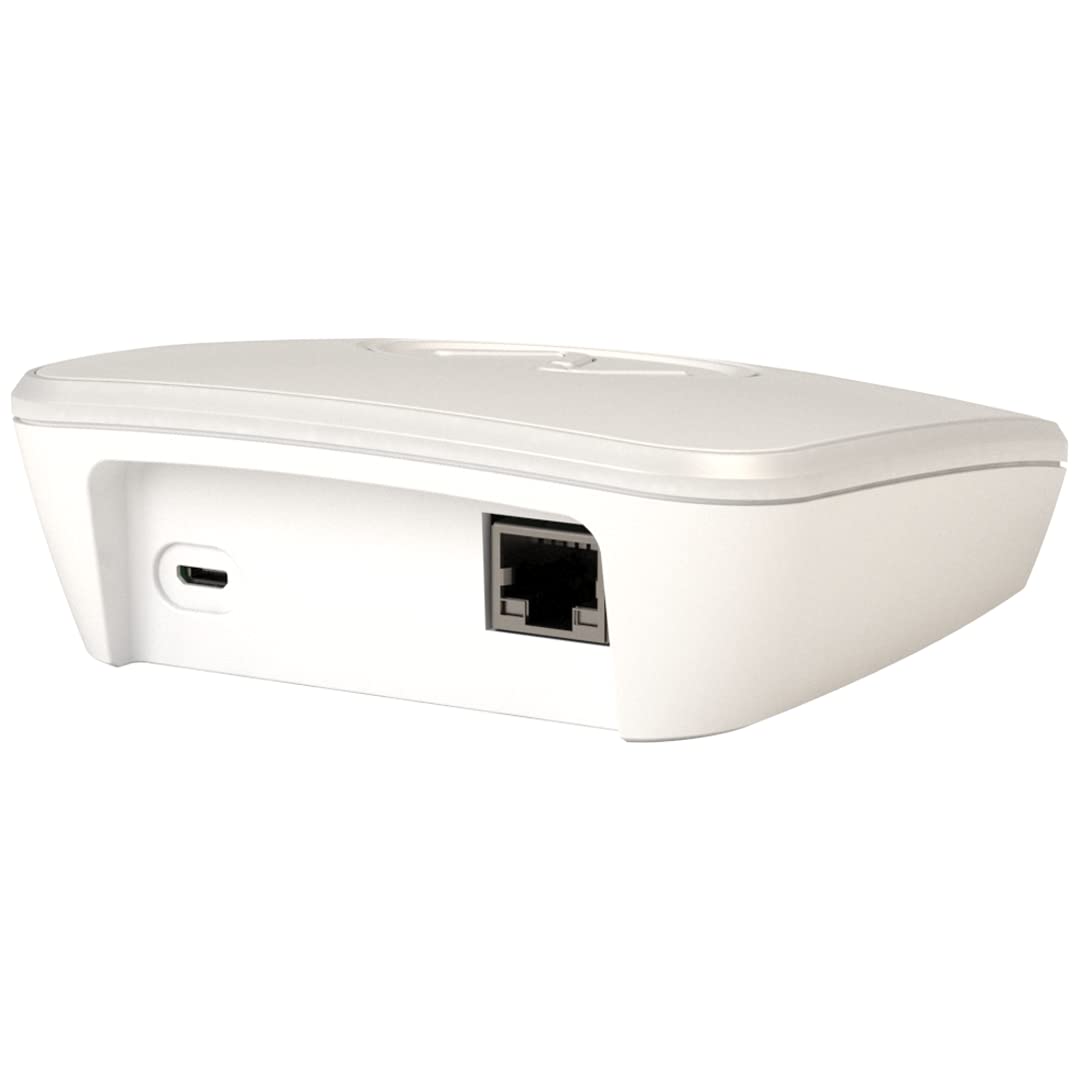
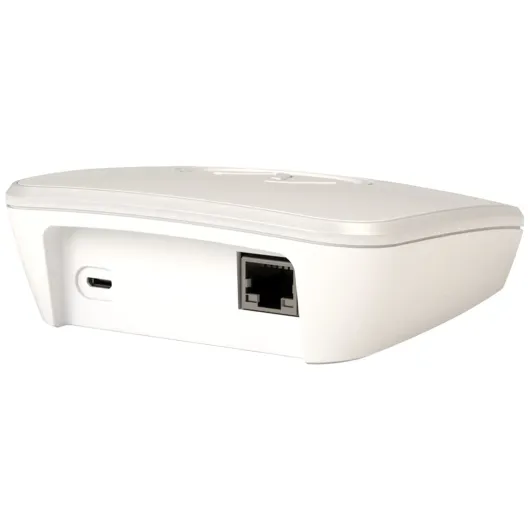
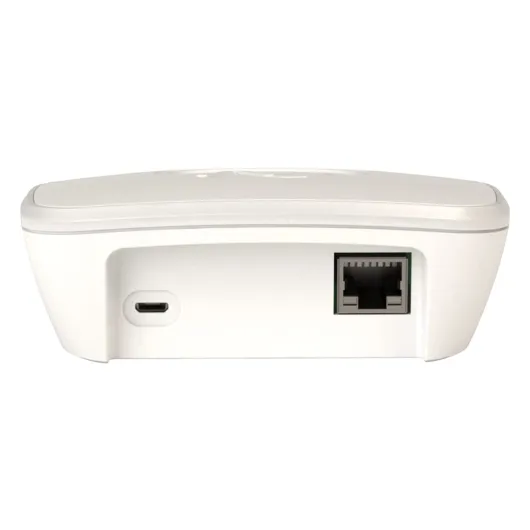
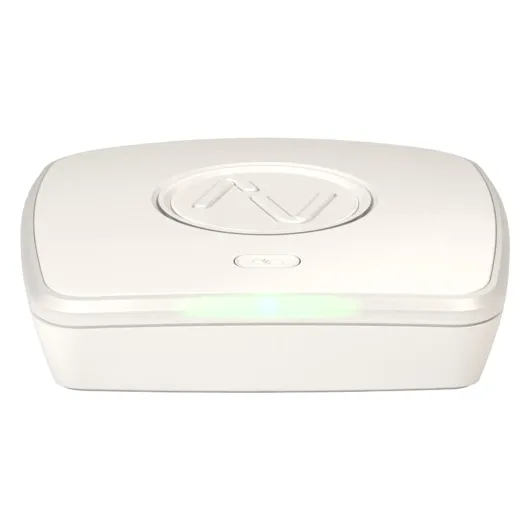
Design‑wise, there isn’t much to say, which in this case is almost a compliment. The L2 Link Plus is a small, light white box (about 110 g) with an Ethernet port, a power input (micro‑USB), and a status LED on the front. It’s not ugly, but it’s also not something you’ll proudly display. Mine lives in the same cupboard as the router, and I forget it exists 99% of the time. That’s pretty much what you want from a hub: work quietly in the background and don’t scream for attention.
The LED can change colour, and some people like that you can tweak it, but honestly, I see that as a gimmick. One Amazon reviewer said the same thing: the colour change feature is pointless when the thing sits in a cupboard, and I agree. The only LED behaviour I care about is whether it’s green (working) or stuck on red (problem). And yes, I did get the dreaded solid red light during setup at one point, which wasn’t fun, especially because the documentation on what that actually means is pretty thin.
The main design complaint I have is cable length and port expectations. The Ethernet cable in the box is very short – around 30 cm – which is only fine if your hub is sitting right next to the router. If your router is jammed behind a TV unit or high on a shelf, you’ll either need your own longer cable or you’ll end up balancing the hub in weird places. Also, the hub is very picky about being connected directly to the router rather than through a network switch. That’s not a physical design issue, but it affects how you physically lay out your gear.
On the plus side, the power input is micro‑USB, so you can skip the included wall brick and use a socket with a USB output if you have one, which saves a bit of space on the extension lead. Overall, the design is simple and functional, but clearly built with the assumption that it will live right next to your router. If your networking setup is more spread out or you care about neat cable management, you’ll probably swear a bit while setting it up.
Reliability and long‑term use
Durability on a device like this is mostly about reliability over time, not physical toughness. It’s a small box that just sits on a shelf; you’re not going to drop it in the garden or drag it around. In my case, after the initial setup headaches, the L2 Link Plus has been pretty boring in a good way: it just runs. No random resets, no needing to pull the plug and restart it every few days. One Amazon reviewer mentioned not rebooting it for over 12 months, and that seems believable based on how it behaves so far.
The unit doesn’t get particularly hot, even when left on 24/7, which is what you want from a hub. Heat is usually the thing that kills these low‑power devices long‑term. Power consumption is low (it’s a 5 W device), so it’s not going to impact your energy bill in any noticeable way. The included power supply feels cheap but standard; the fact that it uses micro‑USB means you can easily replace the PSU or cable if it ever fails, which is nice from a longevity point of view.
What worries me more is software and support durability. The hardware will probably chug along for years, but you’re relying heavily on Lightwave’s cloud and app. If they abandon the platform or stop updates, the hub quickly loses value. So far, the app seems maintained and the system still gets attention, but this is always a risk with closed ecosystems. On the support side, email support is okay – they do respond, and they even arranged testing and return shipping for one user who sent the hub in. Phone support seems hit‑and‑miss; some people say calls just never got picked up.
Overall, in terms of reliability, I’m fairly confident it will last a few years without much fuss, at least as long as Lightwave keeps the backend running. Physically it’s light, sits in one place, and doesn’t seem fragile. I’d rate durability and reliability as a strong point, especially compared to cheaper, no‑name Wi‑Fi smart home gear that often dies randomly or stops getting updates after a year.
Performance: solid once installed, but picky about networking
In terms of performance, I’d split my experience into two phases: setup pain and daily use (pretty solid). Setup is where most people seem to hit problems. Like some of the Amazon reviews, I hit the issue where the hub just sat there with a solid red light when I plugged it into my network switch. It simply didn’t want to play nicely unless it was plugged directly into the router. Once I moved it to a router port, it finally booted correctly and showed a solid green light, and the app found it without too much drama.
This direct‑to‑router requirement is honestly the most irritating thing about the L2 Link Plus. If you have a router with only two Ethernet ports (like a lot of ISP routers in the UK), you might already be using one for a switch and one for something else (e.g. a TV box). Now you have to free a port just for the hub. It feels unnecessary in 2024 that a basic smart home hub can’t reliably sit behind a normal switch like most other devices. It works for some people through switches, but there are enough reports of issues that I’d just assume you need a router port available.
Once it’s finally live and connected, performance is actually pretty good. Commands from the app reach the switches quickly – usually within a second. Voice commands via Google or HomeKit are also responsive; I can say “turn off kitchen lights” and they’re off almost instantly. I haven’t had to reboot the hub randomly either; one reviewer mentioned over a year without reboots, and that lines up with my experience so far (no random crashes or freezes).
Range is fine for a normal‑sized house. It covers my 3‑bed semi with no obvious dead spots. In a larger house, you might hit the limit, and there’s no official booster to extend coverage, which is a bit weak for a system that’s supposed to control “hundreds” of devices. Lightwave’s answer is basically “move the hub”, which is easier said than done if you’re stuck next to the router with a 30 cm cable. So, performance once running: good. Network flexibility and range options: not great.
What the L2 Link Plus actually does (and doesn’t do)
The L2 Link Plus is basically the central controller for all your Lightwave Smart Series devices. It talks to your Lightwave switches, sockets and plugs over 868 MHz, and it talks to your phone and voice assistants over Wi‑Fi and Ethernet (to your router). In practice, that means you plug this box into your router, install the Lightwave app, and then you can control your compatible Lightwave gear from your phone, even when you’re out of the house. That part works as advertised: I’ve turned lights on and off from work, checked if I’d left a socket live, and set schedules for evenings.
The hub is compatible with Amazon Alexa, Google Assistant, Apple HomeKit, SmartThings and IFTTT, at least on paper. In my case, Google and HomeKit were straightforward enough: devices showed up, and voice control worked for all the Lightwave stuff, even some older devices I didn’t expect to see. Alexa is a bit more messy; you have to deal with the older Lightwave RF skill and account linking, and I gave up after 20 minutes because it felt like hassle for something I already had working via Google and HomeKit.
One important point: this hub only controls Lightwave devices. It’s not a general smart home controller like a Homey or a SmartThings hub where you can mix loads of brands. So if you’re hoping to use this to run your Philips Hue bulbs, random Wi‑Fi plugs from Amazon, and your TV, forget it. It’s very much a single‑brand system controller. That can be good (more stable, fewer weird integrations) but it also locks you in. If you don’t already own Lightwave gear, this hub alone is pointless.
In day‑to‑day use, the app side is fairly clear. Rooms, scenes, schedules – all the standard stuff is there. You can set things like “turn all downstairs lights on at dusk” or “turn everything off at midnight”. The feedback is two‑way, so the app shows you if a switch is actually on or off, which is handy when you’re away. The cloud part seems stable; I haven’t had major outages. So in terms of basic function, it gets the job done. It’s just not a universal smart home brain, it’s the Lightwave brain, and that’s a key thing to understand before buying.
How well it actually controls your home day to day
Once I got past the setup quirks, the actual control side is where the L2 Link Plus does its job well. I use it mainly for lighting – dimmers in the living room and kitchen, and a couple of smart sockets for lamps. The app lets you group them into rooms and scenes, so I have setups like “Evening” that dims the living room and turns on a couple of lamps, and “All off” for bedtime. These scenes trigger reliably, and the hub doesn’t lag or miss commands in normal use.
The scheduling and automation side is handy. I’ve set lights to come on around dusk when we’re away, to make the house look occupied, and to turn off everything at a fixed time at night. The two‑way feedback is genuinely useful: from the app I can see if a socket is actually on or off, which is nice if you’re paranoid about leaving something like an iron or a heater plugged in. It’s not perfect, but in practice it’s accurate enough that I trust it.
In terms of voice control effectiveness, Google Assistant and HomeKit integration are the highlights. One thing I really liked is that the hub doesn’t just work with the latest Smart Series switches, it also handled my older Lightwave devices. A reviewer mentioned being able to voice‑control all their existing switches after upgrading the hub, and I saw the same. So if you’re upgrading from a first‑gen hub, this is a smoother jump than you might fear. Alexa, on the other hand, was more hassle than I wanted to deal with. You need to link through the older Lightwave RF skill and potentially deal with account confusion. It’s doable, but it’s not as clean as it should be.
There are a couple of minor annoyances. For example, with HomeKit, only one phone in the household directly controlled everything at first, and I had to make sure other family members either used the Lightwave app or were added properly into the Apple Home setup. Not the end of the world, but not super intuitive for non‑techy people. Still, when I look at the daily reality: I press a button or say a command, and lights respond quickly and consistently. So on pure effectiveness as a control hub, I’d say it’s strong – once you’ve accepted the ecosystem lock‑in and the slightly clunky onboarding.
Pros
- Works reliably and quickly once properly set up (commands and schedules are stable)
- Good integration with Google Assistant and Apple HomeKit, including many older Lightwave devices
- Two‑way feedback and remote access make it easy to check and control devices when away from home
Cons
- Fussy about network setup – often needs a direct router connection and doesn’t always like switches
- Only works with Lightwave devices, so you’re fully locked into a single ecosystem
- Price is relatively high compared to more flexible smart home hubs and older Lightwave hubs
Conclusion
Editor's rating
The Lightwave L2 Link Plus is a solid hub for people already committed to the Lightwave ecosystem, but it’s not a universal smart home solution and it’s definitely not the most beginner‑friendly option out there. Once you’ve battled through the setup and made sure it’s plugged directly into your router, it does its job quietly and reliably. The app is decent, the two‑way status feedback is useful, and the integrations with Google Assistant and Apple HomeKit work well in daily use. For controlling Lightwave switches and sockets around the house, it gets the basics right and doesn’t need constant babysitting.
On the flip side, there are clear downsides. The networking pickiness (not loving switches, wanting a direct router port) is dated and annoying, especially with routers that only have a couple of ports. There’s no simple way to extend coverage in a big house, and you’re fully locked into Lightwave gear. For the price, that lack of flexibility hurts. If you’re starting from zero and just want smart lights, there are more open and sometimes cheaper ecosystems you could go for. But if you already have a load of Lightwave kit or you specifically need their UK‑friendly, no‑neutral switches, this hub is basically the piece that makes it all practical – remote control, timers, and voice.
So, who should buy it? If your home is already half full of Lightwave devices or you know for sure you’re going all‑in on that system, it’s a good, if slightly overpriced, central hub that will do what you need. If you’re just dabbling in smart homes or want to mix brands, I’d skip it and look at something more flexible. It’s decent gear, but very much for a specific type of user.