Summary
Editor's rating
Value: worth it for serious drone flyers, overkill for casual users
Light, nerdy, and a bit awkward – but it works
Battery life: depends a lot on how you use it
Comfort: okay for flights, not great for all-day use
Build and durability: feels decent but you’ll baby it
Performance: solid for drones, average for everything else
What you actually get and what these glasses can (and can’t) do
Pros
- Very practical for DJI drone flying: clear FPV feed while still seeing the real environment
- Bright 720p Si‑OLED display with good contrast and solid visibility even in sunlight (with tinted lenses)
- Lightweight frame with included prescription insert and carrying case, reasonably complete package out of the box
Cons
- High price for a niche, aging product with dated Android hardware and micro-USB
- Comfort limited by nose pressure and cable; not ideal for very long sessions
- Battery life in heavy Wi‑Fi use closer to 3–4 hours, and controller tends to heat up

Specifications
View full product page →| Brand | Epson |
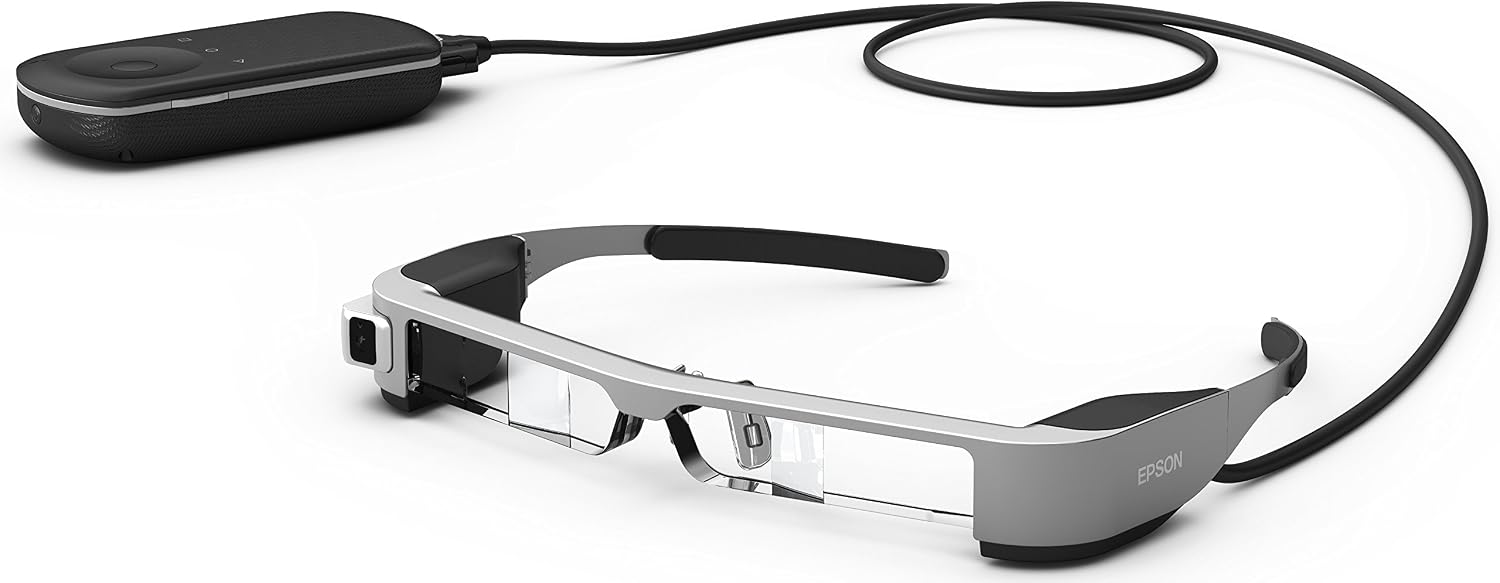
AR glasses that actually feel like a tool, not a sci‑fi prop
I’ve been flying DJI drones for a while and I got tired of fighting reflections on my phone screen every time the sun came out. I picked up the Epson Moverio BT-300 mainly for that: a cleaner FPV view while still being able to see the real world, so I don’t smash the drone into a tree or break any local rules. I used them for a few weeks with a Mavic and a small backyard drone, plus some light media watching at home.
Right away, these don’t feel like a toy. They run Android, they’ve got a 5 MP camera, and the display is HD (720p) with Si-OLED. On paper, it sounds almost like a tiny see-through cinema stuck on your face. In practice, it’s a bit less impressive than the spec sheet suggests, but still pretty solid for what they’re meant to do: give you a clear video feed and basic AR overlays.
I’m not going to pretend this is some futuristic gadget that changes your life. It’s a niche product. If you don’t fly drones or don’t care about AR experiments, you’ll probably look at the price and think “why?”. And honestly, I kind of get that reaction. But if you’re already deep into drones or tech tinkering, it becomes more interesting, because it solves a few real problems that normal FPV goggles or a phone screen don’t handle very well.
So in this review I’ll keep it simple: how it looks and feels, how it performs with drones and media, how the battery holds up, and whether I personally think it’s worth the money in 2024-ish, knowing there are newer headsets and that Epson’s thing is a bit older now. Spoiler: it works, it’s useful, but it’s far from perfect, and not everyone should spend this kind of cash on it.
Value: worth it for serious drone flyers, overkill for casual users
Let’s talk money, because that’s where opinions split hard. When these launched, the price was around 800–850 €. Even today, depending on where you find them, they’re not cheap. For that amount, you can buy a decent mid-range drone, a very good tablet, or put the cash toward something newer like more modern AR/VR gear. So the BT-300 has to justify itself pretty clearly. For a casual user who just flies a drone once in a while or wants to watch Netflix in bed, I honestly don’t think it does.
Where the value starts to make sense is for people who fly drones a lot and want a clean, legal-ish FPV experience where they can still see the environment. Compared to classic FPV goggles, you gain transparency and better awareness. Compared to using just a phone or tablet, you avoid reflections, you get a more immersive view, and your hands are freer because you’re not constantly adjusting a sun hood or trying to shade your screen. If you’re flying several times a week, doing more complex shots, or using drones for semi-professional work, that convenience can be worth a lot.
The problem is that outside of that main use case, the glasses are just okay. For media consumption, a normal tablet or an OLED phone is cheaper and easier. For AR experiments, the ecosystem is limited, and newer headsets are getting better support. The built-in hardware is also dated now: 2 GB RAM, micro-USB, Android version that needs updates to stay relevant. You’re paying for a very specific tool, not a versatile do-everything device.
So in value terms, I’d say: good value if your main goal is drone FPV and you know you’ll use them often. If you’re just curious or you only fly occasionally, it’s hard to justify the price, and you’re probably better off with a cheaper sun hood for your phone or waiting for newer, more polished AR glasses from other brands.
Light, nerdy, and a bit awkward – but it works
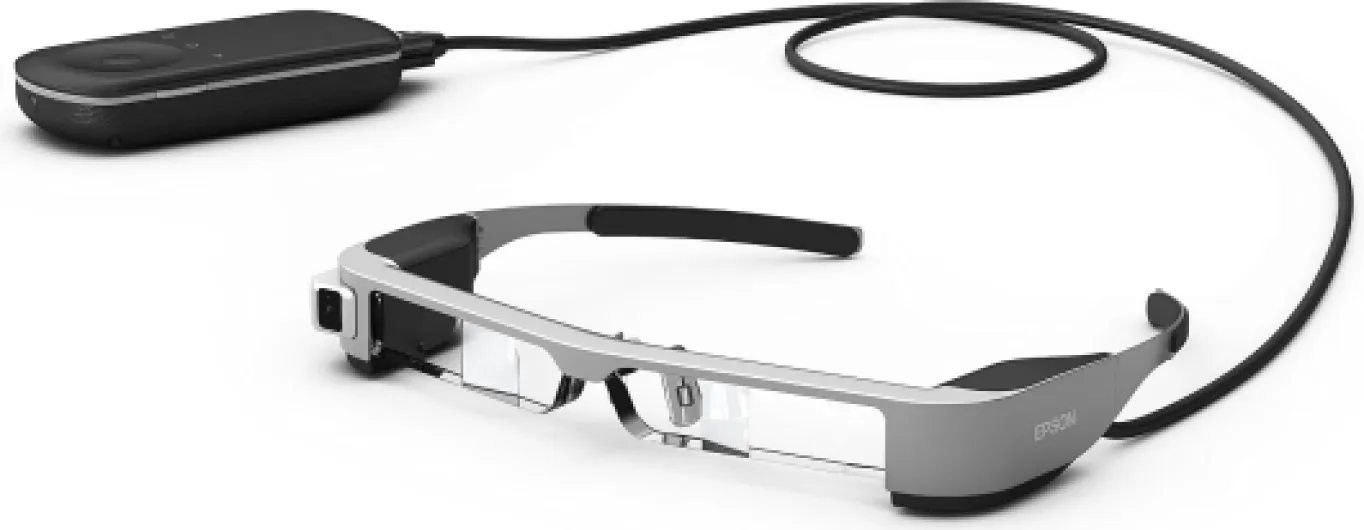
Design-wise, the BT-300 sits in that weird space between regular glasses and full-on VR goggles. They’re semi-transparent, quite light, and the color is a silver/black combo that screams “tech gadget” more than “normal eyewear”. If you’re hoping to walk around looking like you just have regular glasses on, forget it. People will notice and probably ask what the hell you’re wearing. For drone fields and home use, that’s fine. For walking around town, I personally wouldn’t bother.
The screen size is 0.32 inches per eye with a 1.60:1 aspect ratio and 23° field of view. So it’s not a massive cinema screen; it’s more like having a mid-sized floating screen a bit in front of you. The Si‑OLED panel gives good contrast and decent brightness. With the included tinted clip-on, it stays readable even in strong sunlight, especially if you wear a cap as some Amazon users suggested. Indoors, brightness is more than enough, and you can dial it down easily.
The wired controller is where things feel a bit old-school. It has a touchpad and physical buttons, and it takes a little while to get used to the navigation. After a day or so, I was getting around the menus without thinking too hard, but it’s definitely less intuitive than just using a smartphone. One user mentioned the touch on the base needs improvement, and I agree: it’s serviceable, but it doesn’t feel very precise or modern. Also, the controller can get warm during long sessions, especially when Wi‑Fi is active for streaming.
Compared to typical FPV goggles, the design has a big advantage: you keep peripheral vision. You can see your drone, people around you, and obstacles, which is a big plus for safety and legal reasons. On the downside, because they’re semi-transparent, you sometimes have to fight background light to see dark scenes clearly. So design-wise, I’d call it functional and fairly light, but clearly a tech product from a few years back rather than something sleek or discreet.
Battery life: depends a lot on how you use it
Epson advertises up to 6 hours of battery life, which is technically possible, but only in lighter use. In my tests, the range was more like 3 to 5 hours depending on what I was doing. When I was flying a drone using DJI GO with Wi‑Fi and decent brightness outside, I was getting around 3 to 3.5 hours before the controller battery started to give up. That lines up with the Amazon review where the user complained about not even reaching 3 hours when connected to Wi‑Fi. So if you plan long sessions with heavy wireless use, don’t expect the full 6 hours.
On the other hand, when I used the glasses mostly for offline video playback, some AR demos, and lower brightness indoors, I got closer to 4.5–5 hours. So the 6-hour spec is basically the best-case scenario, not what most people will see in the real world. For drone pilots, battery life is still usually enough to outlast a few drone batteries and the drone’s own controller, which several users also mentioned. In practice, I never had the glasses die before I was done flying for the day, but I also wasn’t trying to use them non-stop for an entire afternoon.
Charging is done via micro-USB on the controller, which again shows the age of the product. No USB-C, no fast charging miracles. It takes a while to charge back up, so my habit was to just plug it in after each flying session and let it top off slowly. If you’re the kind of person who forgets to charge things, this could be annoying, but it’s not worse than many older tablets or controllers.
So for battery I’d say: good enough for drone sessions, a bit disappointing if you want long AR or media marathons. The controller getting warm during heavy Wi‑Fi use doesn’t help your confidence either. It’s not a total letdown, but it’s definitely not a strong point compared to more modern hardware with bigger batteries and better power management.

Comfort: okay for flights, not great for all-day use
On comfort, I’m a bit mixed. The glasses are light for what they do, which is good, but they’re still heavier than a regular pair of prescription glasses. After 20–30 minutes, you start to notice the weight on your nose, especially if you don’t adjust them properly. Several Amazon users mentioned nose discomfort, and I had the same thing: the nose pads aren’t terrible, but they’re not very ergonomic either. After a couple of battery cycles with my drone, I usually felt like taking them off for a bit.
If you already wear glasses, there’s an inner frame included that you can take to an optician to mount your lenses in. That’s actually a smart idea. I tried them both ways: over my normal glasses (which is clumsy and not very stable) and with the inner frame fitted. With the inner frame, it’s much better, though you add a bit of weight. So for glasses wearers, I’d say they’re usable, but you probably want to invest in getting that frame set up properly, otherwise you’ll spend your time pushing the headset back into place.
In terms of heat and general feel, the glasses themselves stay cool. The controller is the part that warms up, especially with Wi‑Fi running. You don’t hold it constantly, but you do feel the heat in your hand during longer flights or when watching video. It’s not burning hot, just warmer than I’d like for something this expensive. Cables are another comfort factor: there’s the cable between the glasses and the controller, which can snag a bit if you’re not careful. I got used to routing it behind my neck and under my arm, but it’s still one more thing hanging off you.
For a typical drone session of 30–60 minutes, I’d say comfort is acceptable. You notice the weight and the nose pressure, but it’s not unbearable. For binge-watching movies or wearing them for several hours straight, I wouldn’t recommend it. Your nose and ears will start to complain, and the cable plus controller setup just isn’t as relaxed as sitting with a tablet or a TV. So comfort is decent for focused use, but definitely not a strong point.
Build and durability: feels decent but you’ll baby it
The BT-300 doesn’t feel cheap, but it also doesn’t feel like something you’d throw at the bottom of a backpack without thinking. The plastic frame is light and reasonably rigid, but you can tell it’s not built to survive big drops or being sat on. The cable between the glasses and the controller is a clear weak point: it’s not flimsy, but if you snag it hard on something, you’ll definitely stress the connectors. I ended up being quite careful with how I stored and handled the whole setup.
The carrying case included in the box is useful and honestly mandatory if you want these to last. The lenses and display area can smudge and scratch if you’re careless. I treated them like a pair of decent camera lenses: always back in the case when not in use, and a soft cloth for cleaning. After a few weeks of use, I didn’t see any obvious wear issues, but I can easily imagine the nose pads and hinges getting loose over a year or two of regular flying if you’re rough with them.
The controller is more solid. It’s a compact block, and the buttons and touch area all still felt tight and responsive after my testing. The only concern there is heat over time and the internal battery aging. Since the battery is built in, if it starts to degrade badly in a couple of years, replacing it won’t be straightforward for most users. Given the price, that’s something to think about if you plan on keeping it for a long time.
Overall, durability is okay if you’re careful. It’s clearly made for adult hobbyists, not kids. If you’re used to taking care of drones, cameras, and other fragile gear, you’ll be fine. If you tend to toss things around, you’ll probably damage it sooner than you’d like. There’s nothing that screams “this will break in a week”, but it also doesn’t give that tank-like feeling some pro gear has.
Performance: solid for drones, average for everything else
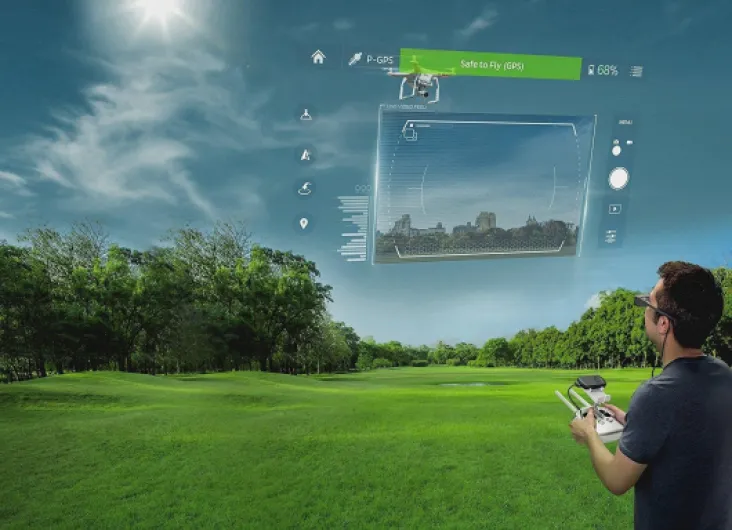
Performance is where the BT-300 makes the most sense. With a DJI drone (Mavic, Spark, etc.), the experience is genuinely practical. Once you’ve got DJI GO or DJI GO 4 installed via the Moverio Apps Market, the live video feed is responsive, and the 720p resolution is enough to see details like tree branches, buildings, and orientation clearly. The Si‑OLED panel gives good contrast and colors that look natural. Even in bright daylight with the tinted lenses and a cap, I could track what the drone saw without squinting at a phone screen.
Latency is acceptable for hobby flying. I didn’t notice any big delay that would make the drone feel disconnected. Obviously, you still shouldn’t fly super close to obstacles relying only on the feed, but that’s more common sense than a device issue. The big advantage compared to classic FPV goggles is that you keep situational awareness. You see the real sky, the drone, and the feed at the same time. For people worried about breaking local rules that require line of sight, this is a clear benefit.
For general Android use, the 1.44 GHz quad-core CPU and 2 GB RAM are okay but nothing more. Menus are fine, simple apps run fine, but don’t expect smartphone-level speed from 2024. It’s closer to using an older mid-range Android device. The 5 MP camera is there mostly for convenience; photos and videos are usable but clearly not on par with a modern phone camera. Focus is manual, which is a bit annoying. I played with a few AR apps and 360° videos: they work, but the content library is limited and feels experimental rather than polished.
So performance verdict: for drone FPV and basic AR, it gets the job done very well. For media watching, it’s decent but nothing special; a good tablet or OLED phone will look sharper and easier to handle. For general Android stuff, it’s serviceable, but you’ll feel the age of the hardware and the limited app ecosystem. If your main goal is drone flying, you’ll probably be happy. If you want a general-purpose AR headset, I think you’ll hit the limits pretty fast.
What you actually get and what these glasses can (and can’t) do
Out of the box, you get the Moverio BT-300 glasses, a wired controller (this is basically the Android unit), a power supply, a carrying case, an inner frame for prescription lenses, in-ear headphones with a mic, a USB cable, and the manuals (one of them on a CD-ROM, which already tells you it’s not a brand-new product). So you’re not missing any essential accessories to start flying or watching content. You don’t need to buy extra stuff except maybe a microSD card if you want more storage than the built-in 16 GB.
The glasses themselves are semi-transparent AR smart glasses with a Si-OLED 720p display. The image floats in your field of view, but you still see the environment around you. That’s the whole point: for FPV flying you can see the drone feed and still keep visual contact with the actual drone, which lines up with the safety rules in many places. They run on Android with a 1.44 GHz quad-core CPU and 2 GB RAM. It’s not fast by phone standards today, but for DJI GO / DJI GO 4 and some basic apps, it’s enough. You can get apps through the Moverio Apps Market, which is smaller than Google Play and feels a bit dated, but it covers the main drone apps and a few AR demos.
There’s a 5 MP front camera that records stills and HD video from your point of view, which is fun for quick clips but not a camera replacement. It supports MP4, AAC, WAV, and photos in JPEG/PNG. Connectivity is Wi‑Fi (including 802.11ac), Bluetooth, and micro-USB. No HDMI port directly on the unit, but you can output video with a micro‑USB to HDMI adapter in some setups. It’s not the most flexible device ever, but for drone pilots and tinkerers it’s enough to plug into the usual stuff.
On paper, battery life is up to 6 hours. In real life it depends a lot on what you do. Streaming via Wi‑Fi with brightness up eats battery faster; using it just with a drone and not hammering Wi‑Fi lasts longer. I’ll get into that in the battery section, because some users complained about getting closer to 3 hours in heavy use. Overall, the presentation is clear: this is a focused AR viewer with drone flying and niche AR experiences in mind, not a general-purpose headset to replace your phone or laptop.
Pros
- Very practical for DJI drone flying: clear FPV feed while still seeing the real environment
- Bright 720p Si‑OLED display with good contrast and solid visibility even in sunlight (with tinted lenses)
- Lightweight frame with included prescription insert and carrying case, reasonably complete package out of the box
Cons
- High price for a niche, aging product with dated Android hardware and micro-USB
- Comfort limited by nose pressure and cable; not ideal for very long sessions
- Battery life in heavy Wi‑Fi use closer to 3–4 hours, and controller tends to heat up
Conclusion
Editor's rating
After spending time with the Epson Moverio BT-300, my feeling is pretty clear: this is a niche tool that does its main job well, but it’s not a general-purpose headset for everyone. As semi-transparent AR glasses for drone flying, they’re genuinely practical. The 720p Si‑OLED display is clear, the image is bright enough even in sunlight with the tinted lenses, and being able to see both the drone feed and the real world at the same time is a big plus for safety and comfort. For regular hobby pilots who are tired of fighting reflections on a phone screen, that alone can justify looking at this product.
On the flip side, the hardware is dated, the controller gets warm, and the real-world battery life is closer to 3–5 hours than the advertised 6 for heavy Wi‑Fi use. Comfort is okay for one or two flight sessions, but the nose pressure and cable setup make it less appealing for long movie nights or wearing all day. The AR ecosystem is limited, and as a media device it’s fine but nothing special compared to a good tablet. So who is it for? People who fly DJI drones regularly and want a semi-pro feeling FPV solution that still respects line-of-sight rules. Who should skip it? Casual users, people mainly interested in watching movies, and anyone expecting a modern, all-round AR platform. For them, the price and compromises just don’t add up.