Summary
Editor's rating
Value: powerful, but the price stings if you hit compatibility walls
Design: small, discreet, and easy to forget (in a good way)
Power and uptime: not battery powered, but stable enough
Durability and long-term feel: more about software than hardware
Performance: solid automations, but integration gaps show up fast
What Homey Pro (2026) actually does in real life
Effectiveness: does it actually simplify your smart home?
Pros
- Brings many ecosystems (Zigbee, Z-Wave, Matter, Thread, Wi‑Fi, IR, RF, BLE) into one hub with mostly local control
- Flows are powerful but still easy to build without coding, good balance between simplicity and flexibility
- Stable day-to-day performance with fast automations and little need for maintenance or constant tweaking
Cons
- High price, especially if some of your devices end up not working fully or at all
- Integration quality varies; some community apps are limited and support often defers to third-party developers
- Doesn’t reach the flexibility and depth of Home Assistant for advanced or niche setups

Specifications
View full product page →| Brand | Homey |
A smart home hub for people who are tired of tinkering
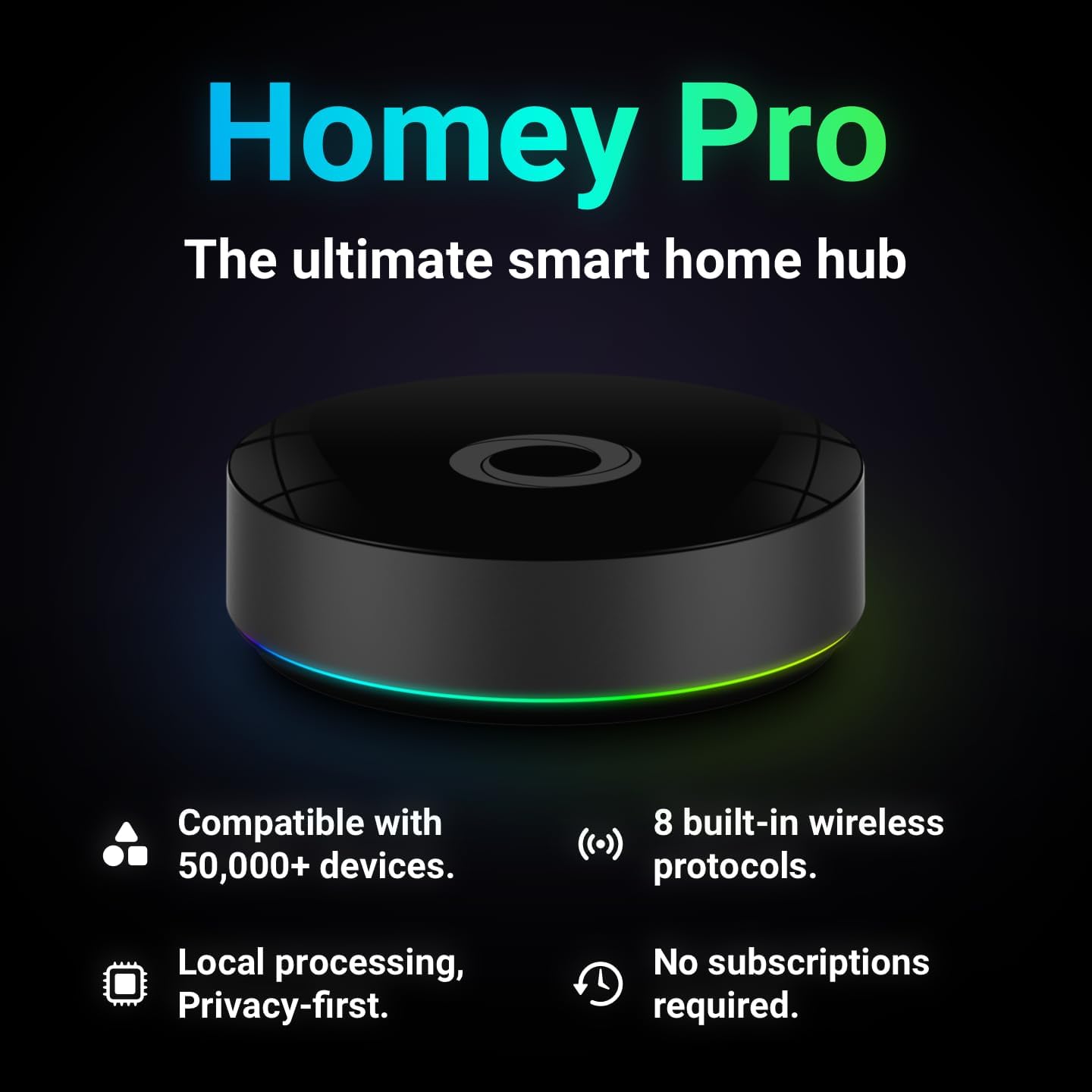
I’ve been playing with smart home stuff for a few years now, and I’m honestly a bit tired of spending evenings fixing automations instead of just having lights that switch on when I walk into a room. That’s why I picked up the Homey Pro (2026). On paper it sounded like the dream: Z-Wave, Zigbee, Matter, Thread, Wi‑Fi, IR, RF, BLE – basically every protocol under the sun, in one box that’s supposed to work locally and not need a PhD like Home Assistant.
I used it for a few weeks as my main hub, trying to move as many devices as possible over from my existing mix of Hue Bridge, Alexa, and a very messy Home Assistant setup. I threw all sorts at it: Philips Hue bulbs, some Zigbee sensors, Z‑Wave plugs, a couple of Shelly modules, some Wi‑Fi stuff, and a few random Tuya bits. I also linked it to Alexa and Siri to see how well it behaves with voice control.
In day-to-day use, the main thing I noticed is that it sits somewhere between “plug and play” platforms (like just using Alexa routines) and hardcore tinkering with Home Assistant. It’s a lot easier than Home Assistant, but it’s not magic either. You still need to spend time understanding how Homey “Flows” work, and you will hit some walls with certain brands or community apps.
Overall, my first impression was pretty positive: the hub feels stable, the automations trigger fast, and it genuinely helped me centralise a lot of stuff. But it’s not perfect, and for the price, some of the rough edges and missing integrations sting a bit. If you expect it to work with everything just because the spec sheet looks huge, you’ll probably be a bit disappointed.
Value: powerful, but the price stings if you hit compatibility walls
Let’s talk bluntly: Homey Pro (2026) is not cheap. When you compare it to some basic hubs or even to running Home Assistant on a Raspberry Pi, you’re paying a clear premium for usability and integration in a polished package. The question is whether that premium is worth it for you. For me, it comes down to how much you hate tinkering and how many of your devices are well supported.
If you’re the type who enjoys spending weekends tweaking YAML configs, you’ll probably feel that Home Assistant gives you more power for less money. Several users, and I agree, say Homey covers maybe 70% of what’s possible on Home Assistant. But the flip side is that Homey takes a fraction of the time to set up and maintain. I didn’t have to babysit it with constant tweaks or updates. Once my Flows were in place, it just ran. That time saved has value, especially if you’re not a hobbyist and just want stuff to work.
Where the value drops is if you have a lot of edge-case devices or brands with weak support. One of the Amazon reviewers mentioned it flat-out: some devices on the compatibility list wouldn’t connect at all, and for that price, that’s pretty annoying. I had a milder version of that experience: some devices technically worked but with limited options. If Homey ends up only controlling half your house, the cost is harder to justify.
So in my view, the value is pretty solid if you either: a) are starting fresh and can choose devices that play nicely with Homey, or b) already have a mostly mainstream setup (Hue, Sonos, IKEA, Shelly, etc.) and want to stop juggling multiple apps. If your setup is very mixed, with lots of Tuya, niche solar gear, or weird smart devices, you might feel you’re paying premium money for something that still forces you to keep other systems around. In that case, it’s decent but nothing more.
Design: small, discreet, and easy to forget (in a good way)
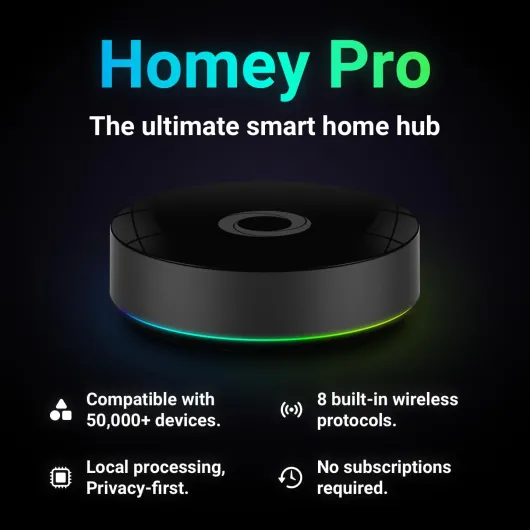
Physically, the Homey Pro (2026) is pretty simple: a compact black box, roughly 12.5 x 12.5 x 3.8 cm. No weird shapes, no giant antenna farm, no RGB lights trying to turn your living room into a gaming setup. You plug it in with the included USB‑C cable and power adapter, and it just sits there. I actually like that it doesn’t scream “tech gadget” from across the room.
The build feels decent for what it is. It’s light, but not toy-like. The plastic doesn’t creak, there are no sharp edges, and it looks fine on a shelf or hidden next to the router. It’s not the kind of device you’ll be handling daily, so I’m not too picky here, but at this price I’m glad it doesn’t feel cheap. It’s basically designed to disappear, and it does that well.
In terms of practical design, the main thing that matters is where you place it. Because it handles Zigbee, Z‑Wave, RF, infrared, and so on, location actually affects performance. In my case, when I first put it in a TV cabinet, some Zigbee sensors were flaky. Once I moved it out into the open, things got more stable. Same for IR: if you want it to control your TV or amp, it needs line of sight or at least to be in the same direction.
One minor downside: there’s no built-in screen or physical buttons, so all control is through the app or voice assistants. That’s fine most of the time, but sometimes I wished there was at least a simple status LED or a quick way to see if it was online without opening the app. Not a deal-breaker, but worth noting. Overall, the design is clean and practical, not flashy. It looks like what it is: a hub you set up once and then don’t think about much.
Power and uptime: not battery powered, but stable enough
The listing says “battery powered”, but in reality the Homey Pro (2026) is a mains-powered hub with a USB‑C power adapter. There’s no built-in battery backup, so if the power goes out, your automations stop. For most people that’s not a big deal, but it’s worth being clear: this is not a portable device, and it’s not meant to run on battery during outages. In my setup, it just lived next to my router on a power strip.
In terms of power stability and uptime, I had no issues. Once plugged in, it stayed on, didn’t overheat, and didn’t show signs of random restarts. I never had to reboot it manually to “fix” things, which is more than I can say for some cheap Wi‑Fi hubs I’ve used. If you really care about uptime, you could easily plug it into a small UPS along with your router, and that would cover short power cuts.
Because everything is processed locally, you’re not hammering the cloud for every little action, which indirectly helps with reliability. When my internet connection had a wobble, local automations (like motion to light) kept working. Remote access obviously died until the line came back, but the house itself kept behaving normally. For a hub that’s supposed to be the brain of your home, that’s more important to me than having a battery inside the device.
So in short: don’t buy this expecting a battery-operated gadget. Think of it as a small, always-on appliance, like a mini server. As long as it’s plugged in, it just runs quietly in the background. No drama there, but also no fancy power features like built-in backup or energy reports for the hub itself. All the energy stuff is about the devices you connect, not the hub’s own consumption.
Durability and long-term feel: more about software than hardware
Physically, the Homey Pro (2026) doesn’t give me any big worries about durability. It’s a static box with no moving parts, no screen, and no mechanical buttons to wear out. I left it running 24/7, and it stayed cool enough and behaved like any other always-on network device. Unless you drop it or spill something on it, I don’t see it breaking quickly from normal use.
Where durability really matters with a hub like this is on the software and ecosystem side. That’s where I have mixed feelings. On the one hand, Homey has been around for a while, and the platform seems to keep getting updates and new integrations. The fact that there’s an open app ecosystem with both official and community apps is good for long-term flexibility. You’re not locked into only what the manufacturer ships on day one.
On the other hand, you’re a bit at the mercy of third-party developers for some of your key devices. If a community developer stops maintaining an app that you rely on, you might find yourself stuck on an old version or losing features. I’ve seen this happen on other platforms too, so it’s not unique to Homey, but it’s something to keep in mind if you’re betting your whole house on one hub. Official integrations feel safer, but they don’t cover everything.
From what I’ve seen and from user reviews, the hardware itself is solid enough to last years, and the software feels stable in its current state. I didn’t run into show-stopping bugs. The question is more whether your specific devices will stay supported and whether Homey keeps up with new standards and brands. Given they already do Matter and Thread, they’re clearly trying to stay current, but I wouldn’t assume every niche brand will be perfectly handled forever. Overall, for durability, I’m comfortable with it, but I wouldn’t toss all my other hubs in the bin on day one.
Performance: solid automations, but integration gaps show up fast
Day to day, the performance is mostly solid. Once I set up my main flows (lights on motion, heating tweaks based on presence, some basic scenes for morning and evening), they triggered quickly and consistently. Compared to running everything through Alexa routines or cloud-based services, the response time felt snappier, especially for motion-triggered lights. You notice it when you walk into a room and the light comes on almost instantly instead of after a one-second delay.
Where things get a bit messy is with device compatibility and app quality. Homey likes to advertise support for 70,000+ devices and 2,000+ brands, but that hides the fact that not all integrations are equal. Some are official and well maintained, others are community-built and a bit hit or miss. For example, my Philips Hue and Sonos stuff worked very smoothly, while some Tuya-based devices were unreliable and didn’t expose all the features I’m used to. And like one of the Amazon reviews mentioned, there are setups (like certain solar systems) that just aren’t supported at all.
The other thing I noticed is that support tends to push responsibility back to app developers if something doesn’t work right. So if a community app doesn’t give you a certain option, you’re basically stuck unless the dev decides to improve it. That’s the trade-off of an open platform: you get a lot of possibilities, but the quality is uneven. Coming from Home Assistant, I’d say Homey covers maybe 60–70% of what I could do there, but with far less effort. Whether that’s enough depends on how nerdy you are.
On the positive side, stability has been good. I didn’t have random reboots or flows stopping for no reason. Once a flow was set and the devices were properly paired, it just kept working. Remote access from outside the house also behaved fine – I could check sensors and toggle devices without noticeable lag. So performance wise: when it works, it works very well. The frustration comes more from the missing or limited integrations than from the hub being slow or buggy.
What Homey Pro (2026) actually does in real life
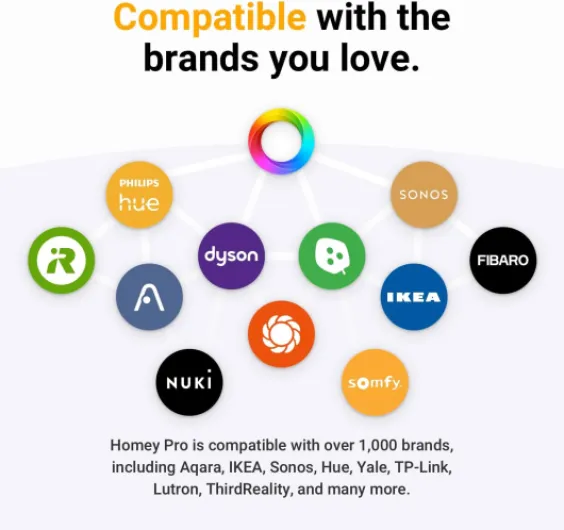
On paper, Homey Pro (2026) is a central brain for your house. In practice, it’s a small black puck that sits on a shelf, quietly talking to all your devices so you don’t need six different apps and three different hubs. It supports Wi‑Fi, Zigbee, Z‑Wave Plus, BLE, infrared, 433 MHz RF, Matter and Thread. That’s a long list, but what matters is this: if you’ve got a mix of Philips Hue, Shelly, Sonos, IKEA, Yale, Tado, Netatmo, etc., there’s a good chance Homey can at least see most of them.
The big selling point for me was the idea of having local-first automations. A lot of my old routines depended on the cloud: if the internet went down, the buttons and sensors suddenly became dumb. With Homey Pro, most of the logic runs on the device itself. In my testing, motion sensors still switched lights reliably even when my router was having a bad day. That’s a real quality-of-life thing, not just a nerd feature.
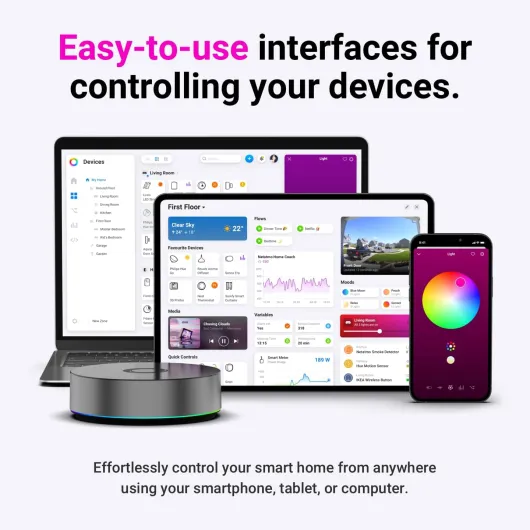
The core feature you actually use is called Flows. Think of them as if-this-then-that rules. Example: “If motion is detected in the hallway after sunset, then turn on the hall lights at 40% and play music quietly in the living room.” The nice part is you can create these flows directly in the mobile app without feeling like you’re coding. There’s also an “Advanced Flow” mode in the web app that gives you a bigger canvas and more logic blocks if you want to go deeper.
Where it gets less shiny is when you start hitting the limits of certain integrations. Some devices just won’t expose all their options through Homey, especially if they rely on community-made apps. For example, I had fewer options with some Tuya plugs compared to what I can do in their own app or in Home Assistant. Also, a few devices that were technically “supported” were a pain to pair or just refused to stay connected. So yes, it unifies a lot, but it doesn’t magically fix every brand’s nonsense.
Effectiveness: does it actually simplify your smart home?
The big question for me was: does Homey Pro actually make life easier, or is it just another box to maintain? After a few weeks, I’d say it does simplify things, but only if most of your devices are properly supported. In my case, I managed to move a good chunk of my setup (lights, plugs, speakers, sensors, a lock) into Homey and control them from one app. That alone reduced the app-juggling I was doing before.
The Flow system is probably the strongest part. It hits a good balance between power and simplicity. Simple stuff like “turn off everything when I leave home” takes a couple of minutes to build. More complex chains (presence + time + sensor + mode) are still doable without needing to write code. Compared to Home Assistant automations, I spent way less time debugging and more time actually using the result. For someone who doesn’t want to dive into YAML or Node-RED, this is a big plus.
On the downside, it’s not the universal remote for everything that the spec sheet suggests. I had a few devices that are supposedly supported but were a pain to connect or only worked partially. And like one Amazon reviewer said, you might end up in a situation where Homey covers roughly 70% of your house, and the remaining 30% forces you to keep some old apps or another hub alive. If you’re starting from scratch and buy hardware that’s known to work well with Homey, you’ll have a better time than if you try to pull in every random gadget you’ve collected over the years.
In terms of energy-saving and monitoring, it’s decent but depends heavily on what you connect. You can track usage of supported plugs and devices, and you can definitely set up flows to reduce consumption (like turning off standby devices at night or adjusting heating based on presence). But again, it’s only as good as the integrations you have. So as a central automation brain, I’d say it’s effective and pleasant to live with, but it’s not magic and it doesn’t completely replace every other system for everyone.
Pros
- Brings many ecosystems (Zigbee, Z-Wave, Matter, Thread, Wi‑Fi, IR, RF, BLE) into one hub with mostly local control
- Flows are powerful but still easy to build without coding, good balance between simplicity and flexibility
- Stable day-to-day performance with fast automations and little need for maintenance or constant tweaking
Cons
- High price, especially if some of your devices end up not working fully or at all
- Integration quality varies; some community apps are limited and support often defers to third-party developers
- Doesn’t reach the flexibility and depth of Home Assistant for advanced or niche setups
Conclusion
Editor's rating
After using the Homey Pro (2026) as my main hub for a while, I’d sum it up like this: it’s a very capable, user-friendly smart home brain that sits between simple voice-assistant routines and full-blown Home Assistant. It’s clearly built for people who want real automation power but don’t want to spend their evenings debugging configs. Flows are easy to build, the app is straightforward, and once things are set up, it runs quietly in the background with good stability.
However, it’s not magic. Despite all the protocols it supports, you’ll probably find a few devices that either don’t work as advertised or only expose part of their functions. Official integrations are generally solid, but some community apps feel limited, and support tends to push responsibility back to the app developers. For the price, that can be frustrating, especially if you come from cheaper hubs that handled some of your devices better.
Who is it for? If you have (or plan to have) mostly mainstream gear like Philips Hue, Sonos, IKEA, Shelly, Netatmo, etc., and you want one hub that runs locally and is easy to live with, Homey Pro makes sense. It really can simplify your setup and cut down on app-juggling. Who should skip it? Hardcore tinkerers who love squeezing every last option out of their devices will still be happier with Home Assistant, and people with lots of niche or poorly supported devices may feel they’re overpaying for something that only covers part of their home. Overall, it’s a strong product, just not perfect, and you need to be honest about your own setup before dropping the cash.