Summary
Editor's rating
Is it worth the price compared to cheaper smart plugs?
Chunky but practical design that disappears behind furniture
Build quality and reliability over time
Stable, smooth dimming that just works (especially with LEDs)
What this dimmer actually does (and what it doesn’t)
Does it actually make your lighting setup easier to live with?
Pros
- Very reliable and smooth dimming with LEDs, halogen, and incandescent bulbs
- Works with Pico remotes without needing a hub, giving easy multi-location control
- Integrates well with the Lutron Caseta ecosystem and major smart home platforms when used with the hub
Cons
- This version doesn’t include a Pico remote, which is almost essential to get full value
- More expensive than basic Wi‑Fi smart plugs that handle simple on/off control

Specifications
View full product page →| Brand | LUTRON |
A lazy-person-friendly way to smarten up lamps
I’ve been using the Lutron PD-3PCL-WH plug-in dimmer for a while to control a couple of floor and table lamps in my living room and bedroom. I’m not an electrician and I really don’t feel like rewiring walls just to add a switch. This thing is basically my compromise: plug it in, plug the lamps into it, pair a Pico remote, and you’re done. No cutting drywall, no running cables, none of that hassle.
In practice, I’ve used it in two main setups: first, behind a sofa to control two floor lamps that were previously annoying to reach; second, in the bedroom to run both bedside lamps and control them from the door and from the bed. In both cases, the main thing I wanted was reliable dimming and a real “3‑way” feel without rewiring. So that’s how I’m judging it: does it make everyday use easier, or is it just another smart gadget that looks cool once and then you stop using it.
Day to day, I use the buttons on the plug less than I expected and the Pico remote way more. The plug unit mostly sits hidden behind furniture, and the remote and the app (when I’m using the Caseta hub) do all the work. If you’re thinking of buying this dimmer alone without a Pico, just know you’re only getting half the experience. The product page text is a bit confusing about that, so I’ll be blunt: this is meant to be used with a Pico remote, and ideally with the Caseta hub if you want phone/app/voice control.
Overall, it’s not flashy, but that’s kind of the point. It’s a practical piece of kit: you plug it in, it works, and you forget about it. It’s not perfect, and it’s not cheap compared to random Wi‑Fi plugs on Amazon, but after using a few of those unstable options, I get why people stick with Lutron. I’ll go through the design, performance, reliability, and value so you can see if it fits what you actually need, instead of just buying another gadget that ends up in a drawer.
Is it worth the price compared to cheaper smart plugs?
On value, this is where opinions will split. The PD-3PCL-WH is not the cheapest way to control a lamp. If you hop on Amazon, you’ll find plenty of Wi‑Fi plugs for half or even a third of the price. But after using several of those and dealing with clunky apps, random disconnects, and firmware updates breaking stuff, I see where the extra money goes with Lutron: stability, smooth dimming, and a proper ecosystem.
If you only need one simple smart plug for on/off control and don’t care about dimming or remote switches on the wall, then honestly, this is probably overkill. You can get a decent brand-name Wi‑Fi plug for less and be fine, especially if you’re already invested in, say, TP-Link Kasa or similar. Where this dimmer starts to make financial sense is when you want:
- Reliable dimming (especially with mixed bulbs)
- Multiple control points via Pico remotes
- No dependence on Wi‑Fi for basic control
- Future integration with Caseta switches, hub, and other gear
One thing that bothers me slightly is that this listing doesn’t include a Pico remote, yet the real magic of the product is using it with a Pico. The kits that bundle the plug and a Pico are usually better value if you’re starting from scratch. Buying the plug and remote separately adds up quickly. So if you’re new to this, I’d look for the bundle first and only buy the bare plug like this if you already own spare Picos or you’re filling in an existing Caseta setup.
Overall, I’d say the value is pretty solid if you care about reliability and you’re okay with paying a bit more upfront. If you’re on a tight budget or just testing out smart home stuff for fun, I’d start cheaper. But if you’re trying to fix annoying lighting situations in a more “set and forget” way, this doesn’t feel like wasted money—especially once you’ve lived with it for a few weeks and stop thinking about it because it just does its job every day.
Chunky but practical design that disappears behind furniture
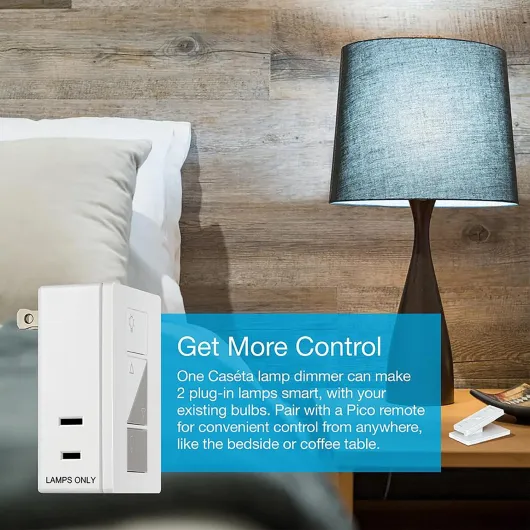
Physically, the PD-3PCL-WH is a small white block with two outlets on the sides and four buttons on the front: on, off, and two dimmer buttons (up/down). It’s not pretty or stylish, but it’s not ugly either. It’s just a plain, functional box in white/grey that most people will hide behind a table or sofa. Size-wise, it’s about 5.1 x 8.6 x 14 cm, so it does stick out a bit from the wall, especially if your outlet is in a tight spot. On a basic duplex outlet, it usually blocks the second receptacle, so plan for that.
The front buttons are straightforward. You can control the lamps directly from the unit: quick press for on/off, hold to dim up or down. The presses feel solid and not mushy, and there’s no audible click, which I like for bedroom use. That said, once you set up a Pico remote, you almost never touch these buttons again. In my case, the dimmer is behind a couch, so I only see it when I move furniture.
One thing Lutron did right is the LED indicator and dimmer behavior. The changes in brightness are smooth, not jumpy. With LEDs, many cheap dimmers flicker or step in big jumps. Here, the ramp up/down is clean and gradual, which makes the whole setup feel more “finished”, even though the hardware looks basic. The unit is also silent—no buzzing or humming, even when dimming halogen bulbs, which is something I’ve noticed with cheaper dimmers.
The only real downside of the design is how it uses outlet space and the fact it’s a bit bulky. If you’re trying to fit it behind a very tight console table pressed against the wall, you might need to pull the furniture forward a few centimeters. Also, it’s a one-circuit device: both plug outputs are controlled together, not independently. So if you were hoping to control two lamps separately from one unit, that’s not happening. They dim and turn on/off as a pair, which is fine for a matching bedside lamp setup, but not for two totally different lighting zones.
Build quality and reliability over time
In terms of durability, this feels like typical Lutron hardware: not flashy, but solid. The casing is rigid, the plugs hold the lamp cords firmly, and there’s no wobble in the prongs when it’s in the outlet. I’ve had one unit running almost daily for over a year, and it behaves exactly the same as day one. No yellowing of the plastic, no looseness in the outlets, and the buttons still have the same click feel. It doesn’t get warm in normal use either, which is reassuring when you’re hiding it behind curtains or furniture.
Another thing I noticed is the RF stability over time. With some Zigbee or Wi‑Fi stuff I’ve used, you eventually run into random dropouts or need to re-pair devices. With this, I honestly forget it’s there. The Pico stays paired, even after power loss, and I’ve never had to reset or repair anything. That lines up with what a lot of long-term Lutron users say: once set up, you don’t really touch it again unless you change your lamp layout.
On the safety side, it’s rated up to 10 A at 120 V, with certifications like CE, ETL, RoHS, and cULus. It’s clearly designed for lamp loads, not for heaters or heavy appliances. I’ve stuck to what Lutron recommends: lamps only, no weird devices. Used like that, it feels safe and boring in the best way possible. I’d rather have “boring” than something that glitches or runs hot behind a sofa.
Could it break? Sure, any electronics can. But compared to the generic smart plugs I’ve had die after 6–12 months, this one inspires more confidence. The price is higher, but you’re paying for less hassle and fewer failures over time. If you’re planning to build a whole Caseta setup across multiple rooms, this is the kind of device you buy once and then don’t think about again, which is exactly what I want from lighting gear.
Stable, smooth dimming that just works (especially with LEDs)
On the performance side, this dimmer is very consistent. I’ve tried it with a few combinations: two IKEA LED bulbs, a pair of dimmable Philips LEDs, and one setup with an old-school halogen bulb. In all cases, the dimming curve was smooth, with no visible flicker and no random shutdowns. With most dimmable LEDs, I could dim down to a low, cozy level without the lights cutting out suddenly at the bottom range, which is a common annoyance with cheaper smart plugs or basic dimmers.
Response time is solid. When I press the Pico remote, the plug reacts almost instantly—there’s maybe a tiny fraction of a second delay, but nothing that feels laggy. Same thing from the app when using the Caseta hub; it’s basically as fast as a wired switch in everyday use. Range-wise, the RF signal is strong. I’ve had a Pico and plug combo working reliably through a couple of walls and about 8–10 meters away. Compared to random Wi‑Fi plugs I’ve tried, this is just more dependable: no random disconnects, no “device unreachable” nonsense.
One small annoyance: after a power cut, the dimmer comes back in the OFF state, not at whatever level it was before. That might actually be a safety feature, but if you live somewhere with frequent brief outages and you’re used to lights coming back on automatically, this will behave differently. Also, there’s no “scene memory” button directly on the plug – that’s handled via the Pico or the app. Not a dealbreaker, but worth noting if you like having a physical preset.
Overall, as a lamp dimmer, it does exactly what it’s supposed to do: it keeps the connection stable, the dimming is clean, and it doesn’t introduce flicker or noise. If your main concern is “will this thing randomly stop working when I hit the button?”, this one is frankly better than most budget smart plugs I’ve tested. Just remember the load limits (100 W LED, 300 W incandescent/halogen) and don’t try to run weird non-lighting devices through it.
What this dimmer actually does (and what it doesn’t)
The Lutron PD-3PCL-WH is basically a plug-in dimmer for lamps that talks wirelessly to Lutron Pico remotes, and to the Caseta hub if you have one. You plug it into a normal wall outlet, then plug up to two lamps into it. It handles up to 300 W of incandescent/halogen or around 100 W of dimmable LED/CFL, which is more than enough for most living rooms or bedrooms. It’s not meant for track lighting, low-voltage landscape lights, or heavy loads. It’s for normal plug-in table and floor lamps, nothing more exotic.
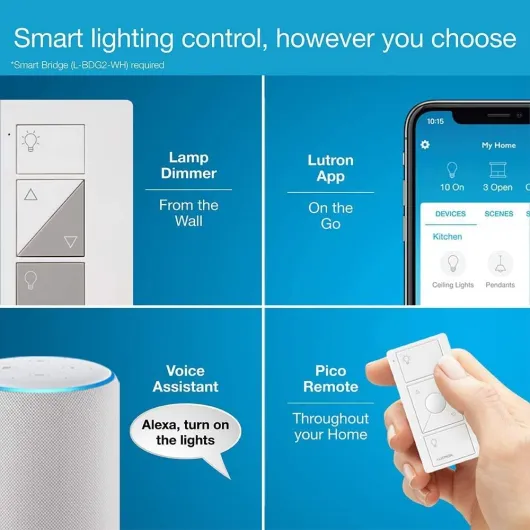
The confusing part is the way it’s sold. This specific product is just the plug-in dimmer, no Pico remote included. A lot of people assume it’s a full smart kit, then complain. If you want the real convenience, you either buy the kit that includes a Pico, or you already own a Pico from other Caseta gear. The good news is: you do not need the Lutron hub to use the Pico remote with this dimmer. The Pico pairs directly to the dimmer, so you can have a wall-mounted or handheld remote without touching your Wi‑Fi, apps, or anything else.
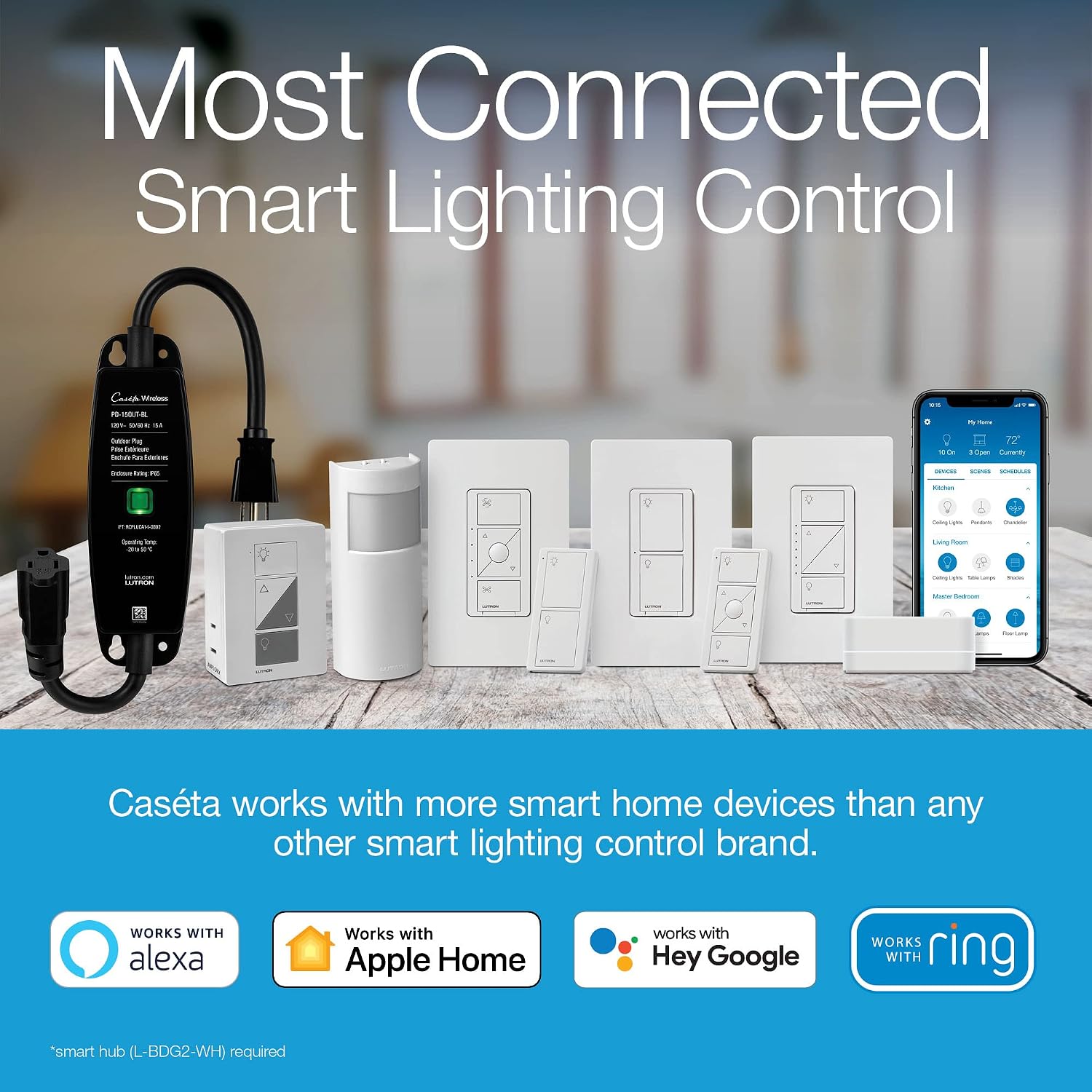
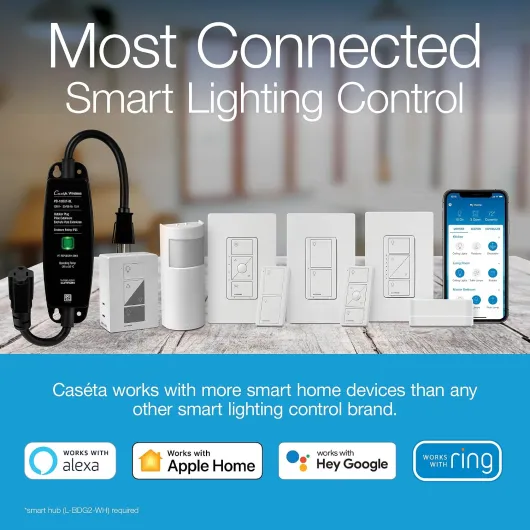
Once you add the Caseta Smart Bridge (hub), it opens up more: app control, schedules, voice via Alexa/Google/Apple Home, and stuff like the “Smart Away” mode that randomly turns lights on and off to make it look like you’re home. I’ve used it with HomeKit and it behaves well: no weird lag, scenes trigger correctly, and dim levels are accurate. But if you don’t care about smart home integrations and just want a wireless switch for lamps, you can skip the hub and stick to Pico + plug only.
One key detail: this uses Lutron’s Clear Connect RF (around 434 MHz), not Wi‑Fi or Zigbee. That’s why it’s so stable and has good range, but it also means you’re buying into Lutron’s ecosystem. If you already have Caseta switches, it fits in nicely and you can link Picos to multiple devices. If you’re just starting from zero and only want one smart plug, it might feel a bit overkill compared to a simple Wi‑Fi plug, especially on price.
Does it actually make your lighting setup easier to live with?
Effectiveness-wise, the big win with this dimmer is adding switches where there were none. In my bedroom, I plugged both bedside lamps into this unit, stuck a Pico on the wall by the door with the wall bracket, and left another Pico on my nightstand. Now I can turn the lights on when I walk in, and turn them off from bed without groping for tiny lamp switches. No wiring, no electrician. For older houses with only one switch location or none at all for plug-in lamps, this solves a real everyday annoyance.
It also works well for hard-to-reach outlets. I’ve got one behind a couch that’s a pain to get to. Before, I just left those floor lamps on and used a power strip as a pseudo “switch”. With the Lutron plug and a Pico, I can dim or turn them off without crawling behind furniture. It’s not glamorous, but in daily use it really cuts down on small annoyances. That’s basically the main point of this device: removing friction from how you use your lamps.
When paired with the Caseta hub, it gets more interesting: you can set schedules (e.g., living room lamps on at sunset, off at midnight), use voice control, and run “away” modes. The Smart Away feature that turns lights on/off randomly while you’re out is simple but practical. I used it on a week-long trip and it’s more convincing than just having a single lamp on a fixed timer. It’s not the kind of thing you play with every day, but it’s nice to have.
That said, if you just want basic on/off control and don’t care about dimming or multi-way switching, a cheaper Wi‑Fi smart plug will also do the job. Where this Lutron unit really earns its keep is when you combine: dimming + reliable remote control + multi-location control (multiple Picos) + optional smart hub features. If you only ever plan to use it as a simple remote on/off plug, then yes, it’s probably overkill and not the best value for your money.
Pros
- Very reliable and smooth dimming with LEDs, halogen, and incandescent bulbs
- Works with Pico remotes without needing a hub, giving easy multi-location control
- Integrates well with the Lutron Caseta ecosystem and major smart home platforms when used with the hub
Cons
- This version doesn’t include a Pico remote, which is almost essential to get full value
- More expensive than basic Wi‑Fi smart plugs that handle simple on/off control
Conclusion
Editor's rating
Overall, the Lutron PD-3PCL-WH is a practical, no-drama plug-in dimmer that does what it’s supposed to: it makes regular lamps easier to live with. The dimming is smooth, the RF connection to Pico remotes is stable, and it integrates nicely with the wider Caseta system if you add the hub. It’s not flashy and it’s not cheap, but in daily use it feels reliable and predictable, which matters more than fancy features once the novelty wears off.
This is a good fit if you want to add 3-way style control to table or floor lamps without touching wiring, especially in older houses or rental places. It’s also a solid choice if you already have Caseta switches and want your plug-in lamps to behave like the rest of your system, with scenes, schedules, and voice control. Just be aware that this specific product does not include a Pico remote, and the hub is optional but needed for app/voice control.
If you’re just looking for the cheapest way to turn a lamp on and off with your phone, there are cheaper Wi‑Fi plugs that will do that. If you don’t care about dimming, multi-location control, or long-term reliability, those might make more sense. But if you want something you can set up once and forget, and you’re okay paying a bit more for that stability, this Lutron dimmer is a solid, low-stress choice.