Summary
Editor's rating
Value: great portable screen, but costs add up fast
Design: looks like chunky sunglasses, with some smart controls
Battery: none in the glasses, but your phone pays the price
Comfort: light enough, but IPD and vision matter a lot
Durability & build: decent build, but handle them like electronics, not cheap sunglasses
Performance: great for video and gaming, weaker for text and “real work”
What the XREAL One Pro actually is (and isn’t)
Pros
- Very good for movies and gaming: big virtual screen, deep blacks, smooth 120 Hz
- Lightweight and reasonably comfortable for 1–3 hour sessions
- Plug‑and‑play with many USB‑C devices, on‑glasses controls are practical
Cons
- Lens distortions and edge softness make long text and productivity tiring
- Total cost climbs once you add prescription inserts and/or a hub
- Drains your phone or handheld battery fairly quickly during long sessions

Specifications
View full product page →| Brand | XREAL |
AR glasses that are more screen than “metaverse”
I’ve been using the XREAL One Pro for a few weeks, mostly plugged into my phone, Steam Deck, and a work laptop. If you’re expecting a full VR headset experience with apps, hand tracking and all that, that’s not what this is. Think of it more as a big floating monitor you wear on your face. Once I framed it that way, the product made a lot more sense.
The main thing that stands out is how easy it is to just plug them into pretty much anything with USB‑C video and have a huge screen in front of you. No pairing, no weird setup, it just shows whatever your device is outputting. On a plane or in a hotel room, that’s very handy. You don’t look as weird as with a full VR headset, and you can still see your surroundings if you keep the tint light.
That said, they’re not perfect. There’s a clear split between using them for movies/games and using them for actual work. For video, they’re honestly very enjoyable. For productivity, especially reading a lot of small text, I quickly ran into the same issues other buyers mentioned: edge softness and some distortions that get tiring. I can use them for short bursts of work, but I wouldn’t replace a monitor with them full time.
So overall, my angle is simple: as a travel cinema and casual gaming screen, they’re pretty solid. As a serious work tool, I’d say they’re more of a backup option than a main display. If you go in with the right expectations, you’ll probably be happy; if you expect a full laptop monitor replacement, you might be annoyed.
Value: great portable screen, but costs add up fast
On value, I’m a bit split. As a pure portable big screen, the XREAL One Pro delivers. Compared to buying a Vision Pro or even a high‑end VR headset just to watch Netflix on a plane, these glasses are a lot cheaper, lighter, and less bulky. For travel, they make a lot of sense: you can plug into your phone, Steam Deck, or laptop and get a cinema‑style view without bothering the person next to you or wrestling with a giant headset.
But once you start looking at the full ecosystem, the price climbs. If you have astigmatism or other vision issues, you’ll likely want prescription inserts, which cost extra. If you want more flexible connectivity or less drain on your phone, you might add the XREAL Hub or similar. At that point, you’re edging closer to some VR headsets that offer full apps, controllers, and more features. The glasses are still more compact and nicer for travel, but not exactly a bargain anymore.
For productivity, I don’t think the value is great if that’s your main goal. The lens distortions and text clarity issues limit how useful they are as a full‑time monitor replacement. Yes, you can do some remote desktop or spreadsheets, and it’s handy in a pinch in a hotel room, but if you mainly want a work tool, I’d look at other options or wait for a future generation. The strengths here are clearly media and casual gaming, not office work.
So who gets good value? People who travel a lot, watch a lot of movies or YouTube, and want something lighter than a VR headset. In that box, the XREAL One Pro is pretty solid. If you’re on a tight budget, or you’d need to add prescriptions and a hub on top, then it starts to feel more like a nice luxury toy than a sensible purchase. It does what it says, but you have to be honest with yourself about how often you’ll actually use it.

Design: looks like chunky sunglasses, with some smart controls
Design‑wise, the XREAL One Pro sits somewhere between regular chunky sunglasses and a slim VR headset. They weigh around 87 g, and on the face they feel closer to big sunglasses than to a Quest or similar. The front is a dark visor with the optics behind it, and the arms are noticeably thicker than normal glasses because they house the speakers, buttons, and electronics. You won’t blend in like you’re wearing Ray‑Bans, but you also don’t look like you’re about to play Beat Saber in the aisle of the plane.
The right arm holds most of the controls: four buttons you can customize. Out of the box, you can change brightness, switch display modes (fixed, follow, docked), adjust screen size/distance, and tweak transparency. I liked that I didn’t have to dig into an app all the time; once I memorized what each press and long‑press did, I could adjust things on the fly. For example, I’d bump transparency up when the flight attendant came by, then dim it again once I was back into a movie.
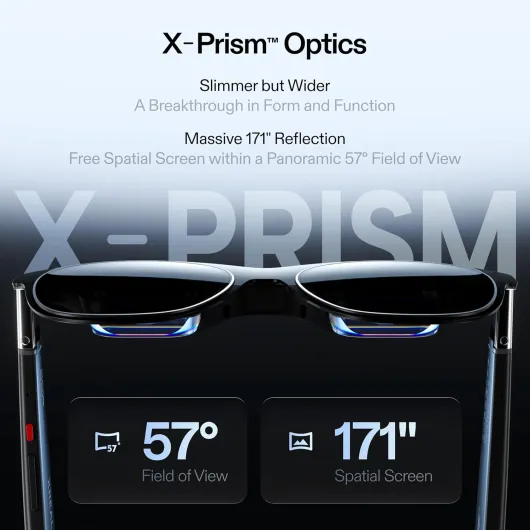
The lenses themselves use X‑Prism optics. Visually, the frontal design is clean enough, but if you look closely you can see the internal optics reflections at certain angles. It’s not tragic, but you’re reminded this is still a gadget, not regular eyewear. The electrochromic dimming (basically built‑in tint control) is a nice touch. You can go from almost clear to pretty dark without swapping covers, which is way less annoying than using clip‑on shades like older models.
The carrying case is compact and practical. It’s not luxury, but it protects the glasses in a backpack without taking half the space like a VR headset case does. Inside the box you also get multiple nose pads and the cable. Nothing fancy, but everything you need to start. Overall, the design is more about function than style. It’s not ugly, it just looks like tech on your face, and you have to be okay with that.
Battery: none in the glasses, but your phone pays the price
The glasses themselves don’t have a big internal battery for display use – they draw power directly from whatever you plug them into. That means no charging the glasses all the time, which is nice, but your phone, handheld console, or laptop battery takes the hit. On my Android phone, watching a 2‑hour movie with the glasses at mid brightness drained the phone a lot faster than normal screen use. If you don’t lower your phone’s own screen brightness or turn it off, your battery tanks pretty quickly.
With a Steam Deck or ROG Ally, it’s the same story: the glasses don’t really add noticeable lag, but they do add power draw. For longer sessions, I ended up plugging the device into a power bank. This is where something like the XREAL Hub or a powered adapter setup starts to make sense, but again, that’s extra money and extra cables. On a laptop, it’s less of an issue because laptops already have bigger batteries, but you still see the impact if you’re on battery only.
Day to day, I treated the glasses as a passive display that just happens to be powered over USB‑C. There’s no separate battery management, which simplifies things, but you have to adjust your habits. On flights, I turned down my phone brightness and sometimes even used a dark theme to squeeze out more time. I also learned to not run background apps that I didn’t need while using the glasses, just to save a bit more juice.
So there’s no real “battery life” score for the glasses themselves, but in practice, plan around your source device. If your phone already struggles to last a full day, adding these into the mix will push it over the edge unless you carry a power bank. On a laptop or Steam Deck with a charger nearby, it’s less of a headache. Just don’t expect some magical power efficiency – you’re basically driving an extra high‑brightness OLED display.
Comfort: light enough, but IPD and vision matter a lot
On the comfort side, I’d say they did a pretty solid job, with some big caveats. The weight is low enough that I can wear them for a full movie without feeling like my nose is being crushed. The weight balance is decent too, so they don’t constantly slide down. The three‑stage adjustable arms and the spring hinges help them fit different head sizes. I swapped the nose pads a couple of times until I found the one that didn’t dig into my skin, and after that I could forget about them for an hour or two.
Where things get more sensitive is IPD and eyesight. These are the M size (57–66 mm IPD). If your IPD is outside that, I wouldn’t buy them, period. Even inside that range, you really feel it if you don’t line them up right. At first, the image looked slightly blurred and a bit doubled at the edges. After tweaking the built‑in IPD adjustment and playing with fit, it improved, but some distortion stayed. Like other users, I noticed that for text, only part of the screen is really “clean”, and my eyes work harder when I look at the corners.
I wear mild glasses for astigmatism, and that’s another layer. Without prescription inserts, I could watch movies fine, but for reading code or spreadsheets, my eyes got tired quickly. Once I tried prescription inserts (ordered separately from a partner, which adds to the cost), the center clarity improved a lot and I could work longer, but the optical distortions near the edges are still there. So the comfort story is: physically, it’s good; visually, it depends heavily on your eyes and how picky you are about text clarity.
Long sessions: for movies and games, I can do 2–3 hours without major issues, as long as I take short breaks. For productivity (remote desktop, documents), I start feeling eye strain after 45–60 minutes. It’s not unbearable, but compared to a normal monitor, it’s clearly more tiring. If your main use is travel entertainment, comfort is fine. If you want to code all day in these, I wouldn’t rely on them as your only screen.
Durability & build: decent build, but handle them like electronics, not cheap sunglasses
Build quality feels decent for the price, but this is still a fragile electronic device sitting on your face, not something you want to toss into a bag without the case. The plastic frame doesn’t creak or feel hollow, and the hinges are spring‑loaded and feel controlled, not loose. After regular use (on/off, folding into the case, commuting in a backpack), I didn’t notice any worrying play in the arms or cracking sounds.
The front visor and optics are the parts I’m most careful with. They pick up fingerprints easily, and I wouldn’t be surprised if they scratch if you’re careless. The included cleaning cloth gets the job done, but I’d avoid using random tissues or your t‑shirt. Also, the cable is a single point of failure: if you bend it too aggressively at the connector, you’ll probably wear it out. I’d like a slightly more reinforced cable for something that’s going to be plugged and unplugged a lot.
In terms of electronics reliability, I didn’t have major issues, but it’s worth noting that at least one Amazon reviewer received a defective unit and had to get a replacement. On the positive side, XREAL support seems responsive; they swapped that unit quickly and also helped another user with a hub issue in under 24 hours. So there might be some quality control variance, but at least support doesn’t seem to ghost people.
Overall, I’d say durability is fine as long as you treat them like a premium gadget. Use the case, don’t sit on them, don’t twist the arms like regular throwaway sunglasses. If you’re rough on your gear, this is not the product you want dangling from a shirt collar or rolling around in the bottom of a bag. With normal care, I don’t see any immediate red flags, but long‑term lens wear and cable fatigue are the two obvious weak spots.
Performance: great for video and gaming, weaker for text and “real work”
In terms of raw display performance, the XREAL One Pro is strong where it matters for entertainment. The 1080p Micro‑OLED panels look crisp enough at this virtual size, and the 120 Hz refresh rate keeps motion smooth. Blacks are deep, colors are vivid without being cartoonish (once you switch to Natural mode instead of the default Vivid), and brightness is more than enough indoors. I rarely needed max brightness; mid‑level was plenty in most rooms, and in a dark room max actually felt too bright.
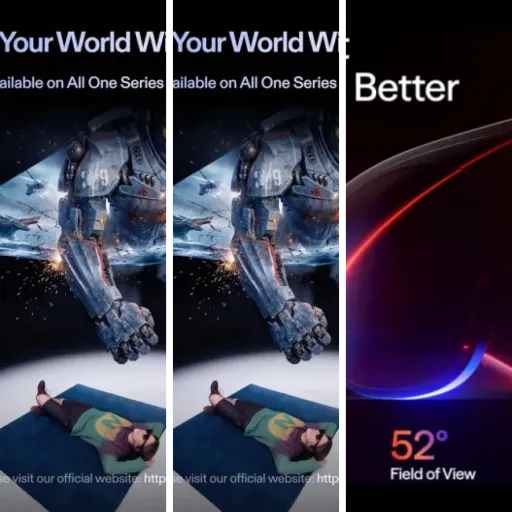
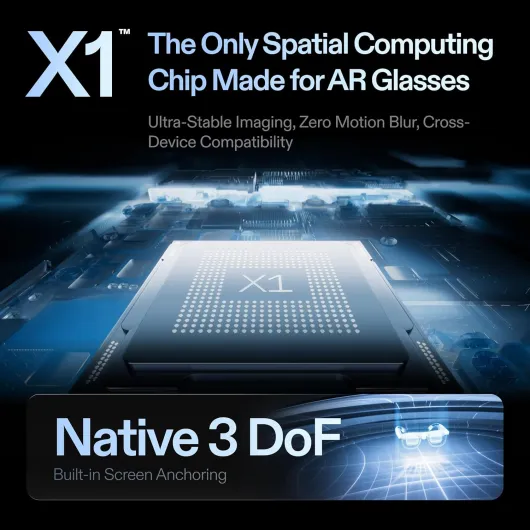
The field of view (57°) isn’t huge compared to VR headsets, but it’s big enough that it feels like a large TV a few meters away. The virtual 171" claim at 4 m feels roughly right. I liked being able to resize and bring the screen closer or further with the on‑glasses controls. For planes, I usually went a bit smaller so I didn’t have to move my eyes as much. The native 3DoF stabilization from the X1 chip works very well. In follow mode, the screen stays locked in front of you, which is perfect when the plane or train moves subtly. In fixed mode on the couch, the screen stays in space and you can look away and back like it was a TV.
Where the performance drops is text and productivity. Even though the resolution is 1080p per eye, text doesn’t look as clean as a laptop screen. There’s aliasing and that lens distortion issue several users mention: parts of the screen are sharp, other areas make text look slightly doubled or warped. For movies, your brain ignores it. For reading, it’s tiring. I could answer emails, do some remote desktop, or edit a doc, but I wouldn’t want to spend a whole workday on it. Compared to something like Vision Pro, this is clearly more of a media viewer than a serious workstation.
Latency and 3D: latency is low enough that I didn’t feel motion sickness with casual games or moving my head around menus. The REAL 3D feature (2D‑to‑3D conversion) is a nice bonus. It’s not mind‑blowing, but it adds some depth to content that wasn’t originally 3D. I wouldn’t buy the glasses just for that, but as a side feature it’s fine. Overall, performance for movies and games is genuinely solid; for productivity, it’s usable but compromised.
What the XREAL One Pro actually is (and isn’t)
The XREAL One Pro is basically a pair of lightweight AR glasses with a built‑in X1 chip that handles 3DoF tracking, screen modes, brightness, and some 3D tricks directly on the glasses. You plug them into a phone, laptop, Steam Deck, ROG Ally, etc. via USB‑C, and they act as an external display. No extra app is strictly required on most devices, which is a big plus compared to some competitors that lean heavily on software.
The brand throws around a lot of buzzwords: 57° FOV, 171" spatial screen, REAL 3D, 120Hz FHD, Sound by Bose, X‑Prism optics, 700 nits. In practice, what you feel is: the screen looks big, the image is sharp enough for movies and games, and the glasses stay fairly light on your nose. The 3DoF modes (fixed, follow, docked) actually matter: they stop the picture from drifting around like older AR glasses. I used follow mode on planes so the screen doesn’t slowly slide off to the side, and fixed mode on the couch.
One thing to be clear about: by default this is not a full AR headset with 6DoF and interactive apps. The 6DoF and spatial anchors only kick in if you add the separate XREAL Eye accessory, which I didn’t test. Out of the box, it’s mainly a fancy external monitor in glasses form, with some tracking and 3D tricks layered on top. If you come from a Quest 3 or Vision Pro, this will feel more limited, but also way lighter and easier to live with.
So in simple terms: if you want a portable screen that plugs into almost anything and doesn’t need much setup, this is what it does best. If you want to walk around your house placing virtual windows on walls like in sci‑fi movies, this is not really that device unless you start adding extra hardware and accept that it’s still pretty early‑stage.
Pros
- Very good for movies and gaming: big virtual screen, deep blacks, smooth 120 Hz
- Lightweight and reasonably comfortable for 1–3 hour sessions
- Plug‑and‑play with many USB‑C devices, on‑glasses controls are practical
Cons
- Lens distortions and edge softness make long text and productivity tiring
- Total cost climbs once you add prescription inserts and/or a hub
- Drains your phone or handheld battery fairly quickly during long sessions
Conclusion
Editor's rating
Overall, the XREAL One Pro is a solid pair of AR glasses if you treat them as a portable screen first and everything else second. For watching movies, shows, and playing games on the go, they’re genuinely good: light on the head, big virtual screen, deep blacks, smooth motion, and handy 3DoF modes that keep the picture stable. Plug‑and‑play over USB‑C with phones, Steam Deck, laptops, etc. is a real plus, and not having to install apps everywhere is refreshing.
The weak spot is productivity. Between the lens distortions and edge softness, reading a lot of text is tiring. You can get by for light work or short bursts, but I wouldn’t rely on these as a full‑time monitor, especially if you’re picky about sharp text. Add in the extra cost of prescription inserts and possibly a hub, and they quickly shift from “smart buy” to “nice but expensive toy”.
If you travel often, like watching content in private, and don’t want the bulk of a full VR headset, these glasses make sense and feel worth it. If your main goal is serious work or you’re very sensitive to optical quirks, I’d either look at other options or wait for a later generation. They’re good at what they’re really built for: being a comfortable, portable cinema for your existing devices.