Summary
Editor's rating
Value: good if you’ll actually use the big screen often
Design: more “chunky sunglasses” than sci‑fi helmet
Battery and power: depends entirely on your phone or laptop
Comfort: light on the nose, but not forget‑you’re‑wearing‑it level
Durability: feels decent, but I’d baby it
Display and audio performance: strong picture, average sound
What you actually get and how it works
Pros
- Sharp, bright 1080p Micro‑OLED display with smooth 120Hz refresh rate
- Lightweight (63g) with adjustable nose pads and diopter adjustment for myopia
- Simple USB‑C DisplayPort plug‑and‑play with supported phones, laptops, and handhelds
Cons
- Average audio quality with some sound leakage and no real bass
- Relies entirely on host device battery and only works with USB‑C DP compatible devices

Specifications
View full product page →| Brand | TOZO |
AR glasses that finally feel more useful than gimmicky
I’ve been curious about AR glasses for a while, but most of the ones I tried felt like tech demos: cool for 10 minutes, then back in the drawer. I used the TOZO VIZO Z1 for about two weeks, mainly plugged into my Samsung phone and a laptop, to see if this thing could realistically replace a travel monitor or be a proper “private screen” at home. Short answer: it comes closer than most, but it’s not perfect.
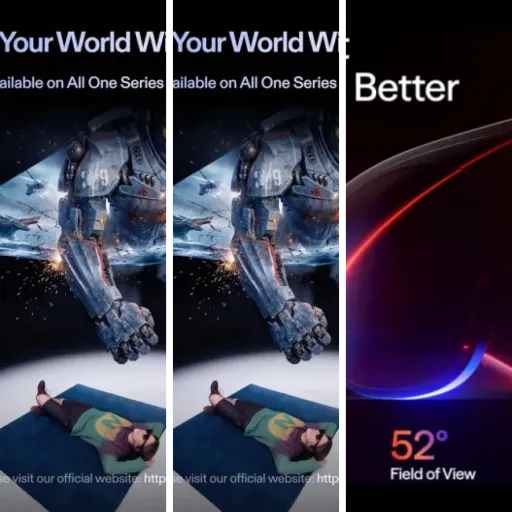
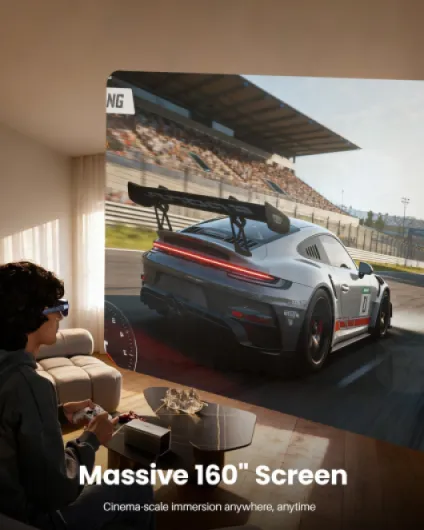
The big promise here is a “160-inch virtual screen,” 120Hz Micro-OLED, and plug-and-play over USB‑C. No apps, no pairing headaches, just plug it in and get a giant screen floating in front of you. In practice, it really does feel like you’re watching on a big TV a few meters away, especially for movies and games in a dark room. It’s not just a tiny floating window like older stuff I tried.
During my tests, I used it on a plane, on the couch, and at a desk. I watched Netflix, played a bit of Steam games via my laptop, and did some light work (email, docs). I also pushed it in brighter rooms to see if the 6000‑nit claim actually translates into something useful, and checked how it compares to just holding my phone or using a regular portable monitor.
Overall, it’s a pretty solid gadget if you already like the idea of a wearable display. It’s still a niche product, and there are some trade-offs: audio is just okay, long sessions can cause a bit of eye fatigue, and compatibility is not as universal as the marketing suggests. But if you travel a lot or want a private screen without lugging a monitor, it actually gets the job done.
Value: good if you’ll actually use the big screen often
In terms of value, it really depends on how much you’ll use it and what you compare it to. If you’re just watching a couple of YouTube videos a week, this is overkill. You’re better off with your phone or a cheap tablet. But if you travel a lot, share a small apartment, or often want a private screen without hogging the TV, then the price starts to make more sense. It basically replaces a portable monitor plus headphones, in a form that fits in a small pouch.
Compared to other AR glasses I’ve tried, the VIZO Z1 sits in a nice spot: good display, decent comfort, straightforward plug‑and‑play. It doesn’t have fancy audio tuning, HDR10, or crazy software features, but honestly, I didn’t miss those much for the core use case: watching stuff and playing games on a bigger “virtual” screen. The main competitors with better audio or HDR also tend to cost more, so you’re paying extra for features that not everyone will care about.
On the downside, the value drops if your phone or laptop isn’t directly compatible. Adding a hub or adapter increases cost and complexity. Also, remember there’s no included prescription insert, no hard case in my box, and no internal battery. So what you’re paying for is really the optical/display package and the basic audio, not a full ecosystem.
If I sum it up: if you’re a frequent traveler, a commuter who watches a lot of content, or someone who wants a private screen for late‑night viewing without a big TV, it’s a good buy that actually gets used. If you’re more of a casual user who mostly sits at a desk with a normal monitor, it’s more of a tech toy than a necessity. There’s better gear out there if you want top‑tier audio and HDR, but for a clean, simple “wearable monitor,” the value is pretty solid.

Design: more “chunky sunglasses” than sci‑fi helmet
Design-wise, the VIZO Z1 sits somewhere between normal sunglasses and those bulkier VR headsets. At 63g, it’s light enough that it doesn’t feel like a brick on your nose, but you can still tell you’re wearing tech, not regular glasses. The blue color on my unit looks fine—nothing flashy, more like a muted blue accent than a fashion statement. If you’re hoping to look discreet in public, they’re not invisible, but they’re less ridiculous than some other AR glasses I’ve seen.
The frame feels reasonably solid for the weight. It’s plastic, of course, but it doesn’t creak much when you flex it, and the arms have a bit of give without feeling flimsy. There are physical buttons on the side for volume and basic controls, which I actually prefer over swipes and touch gestures that never register properly. The downside is you have to learn by feel which button does what, but after a couple of days I was doing it without thinking.
The detachable frame for prescription lenses is a smart idea, but keep in mind the prescription insert is sold separately. So if you’re heavily myopic and want a clean setup, that’s an extra cost and an extra step with your optician. That said, the built‑in 0–600° diopter adjustment (via the dials near the lenses) already covers a lot of people with myopia, so many won’t even need the insert. In my case, mild myopia, I could dial it in and see clearly without wearing my usual glasses underneath.
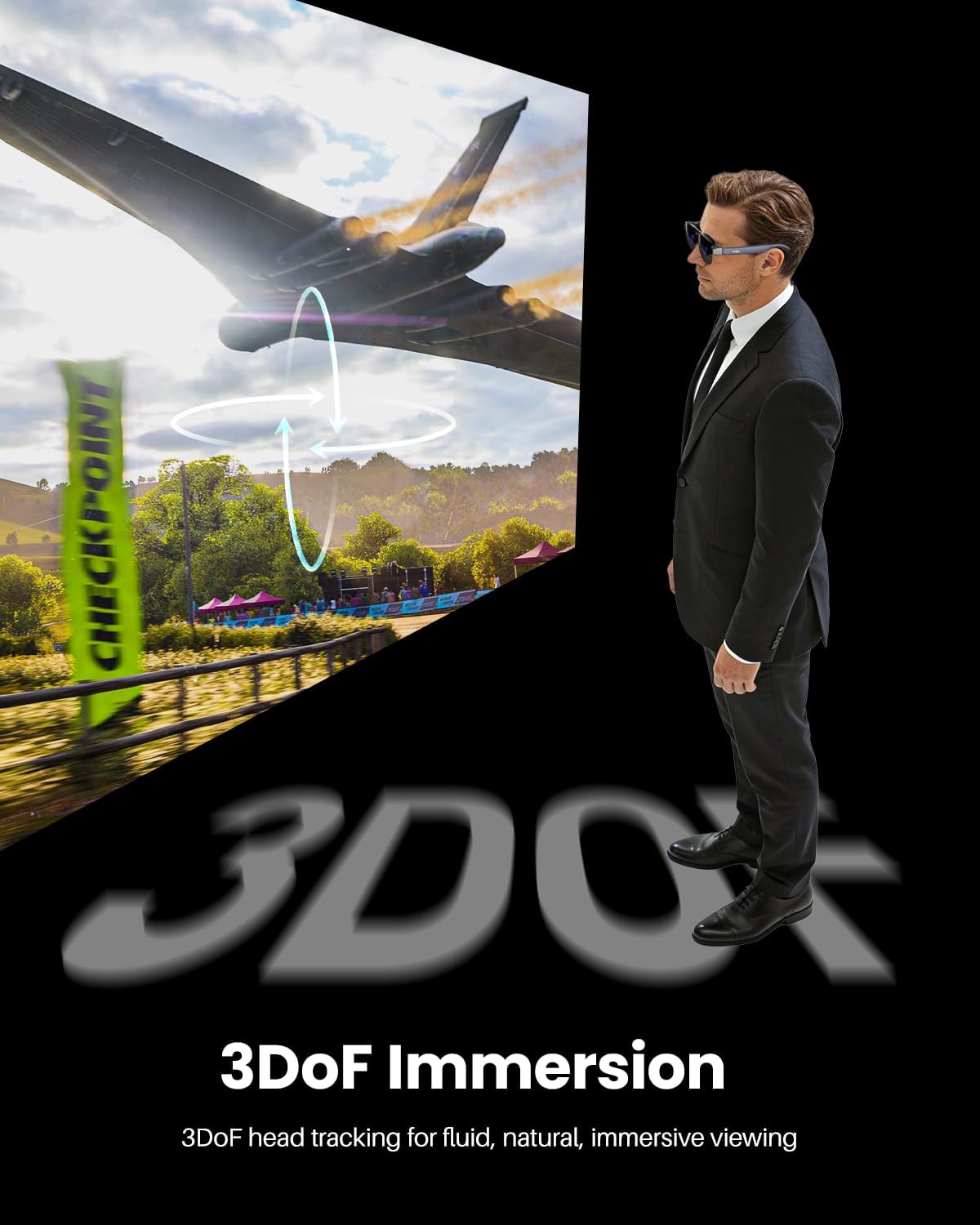
From a practical point of view, it’s designed more for sitting or reclining than walking around. The cable hangs off one side, and you’ll definitely feel a tug if you stand up quickly or turn your head too fast. So while the design is decent for what it is, it’s not something I’d wear walking city streets. As a “sit down and watch something” device, though, the design is clean and functional enough.
Battery and power: depends entirely on your phone or laptop
Important detail: the VIZO Z1 doesn’t have its own battery. It draws power directly from whatever you plug it into via USB‑C. That’s convenient in the sense that you never have to charge the glasses themselves, but it shifts the battery burden to your phone, laptop, or console. On my Galaxy S23, watching Netflix through the glasses drained the phone noticeably faster than just watching on the phone screen. Roughly speaking, I lost around 25–30% battery in an hour of streaming with the glasses, versus about 15–18% on the phone screen alone.
On a laptop, it’s less of an issue because you’re usually plugged in or at least have a bigger battery. My ThinkPad handled a 2‑hour movie plus some browsing with the glasses without feeling like it was dying too fast. If you’re a frequent traveler and plan to use this mostly with a phone, I’d honestly pair it with a decent power bank. Otherwise, a long flight plus heavy use of these glasses will chew through your battery faster than you might expect.
The upside of not having an internal battery is weight and reliability. No extra heat buildup on your face, no separate charging cable, and no risk of the device becoming useless in a few years because the internal battery degraded. It also makes it more “grab and go”: just plug into whatever device and it works. So there’s a trade-off: lighter and simpler hardware, but more strain on your main device’s battery.
There’s no real “power management” on the glasses themselves beyond brightness and volume. If you want to save energy, you mostly do that on the host device (lower brightness, shorter screen timeout, etc.). So from a battery perspective, I’d say it’s practical, but not magic. Just don’t expect to binge an entire season on your phone with these without a charger nearby.
Comfort: light on the nose, but not forget‑you’re‑wearing‑it level
Comfort is usually where these devices fall apart, so I paid close attention. The 63g weight is genuinely helpful. Compared to a cheap pair of AR glasses I tried last year that felt like a brick, these are easier to wear for a full movie. The 4‑level adjustable nose pads with that “air‑cushion” style pad actually matter: I could tweak them until the weight sat more evenly on my nose instead of digging into one spot. After maybe 20–30 minutes, I barely noticed the pressure, which is honestly pretty good for something with a whole display in it.
The temple arms are flexible enough to accommodate a bigger head without pinching too hard, but after about an hour and a half I started feeling that slight pressure behind the ears. Not painful, just that “okay, I’ve been wearing this for a while” feeling. If you’re used to headphones clamping your head, this is less intense than that, but it’s still there. I did a two‑hour movie on the couch and my nose and ears were fine, just a tiny bit of fatigue around the eyes, which is normal for me with any display that close.
Eye comfort is mixed. On the one hand, the Micro‑OLED panel looks clean and the high contrast makes text sharp. On the other hand, because the screen is always in your field of view at a fixed distance, your eyes don’t get the small breaks they get when glancing around a room. After a long work session (around 90 minutes of email and docs), my eyes felt a bit more tired than using a regular 24‑inch monitor. For movies and games in shorter bursts, I had no issue. So I’d say: great for entertainment sessions, acceptable but not ideal for long work days.
One more point: if you have a bigger nose or wear them slightly crooked, you might need a few days to find the sweet spot. The first evening I wore them too low and the image felt a bit blurry and misaligned. Once I raised them slightly and re‑adjusted the diopters, the clarity improved a lot. So comfort is decent, but you have to be willing to tweak the fit a bit instead of just slapping them on and going.
Durability: feels decent, but I’d baby it
Physically, the VIZO Z1 feels like a typical piece of mid‑range consumer electronics: not cheap toy level, but also not something I’d throw in a backpack without protection. The plastic frame and arms have some flex, which is good for not snapping immediately, but I wouldn’t twist them too much. Over two weeks of daily use (taking them in and out of a soft pouch, plugging/unplugging the cable), I didn’t see any obvious wear or looseness in the hinges or buttons.
The lenses and the front area are the parts I worried about the most. They pick up fingerprints easily if you adjust them by grabbing the front, and I’d be careful about scratches. There’s no official IP rating (no water or dust protection mentioned), so I treated them like any other delicate electronics: no rain, no throwing them on the bed, no leaving them face down on a table. If you’re the type who is rough with your gear, you’ll probably want a hard case, because the box they come in is not meant for daily transport.
The USB‑C port on the glasses side feels reasonably firm, but I can see that being a failure point if you constantly yank the cable at an angle. I got into the habit of holding the connector when unplugging instead of pulling the cable. The cable itself is okay but nothing special; if it dies, you can replace it with any decent USB‑C cable that supports DP Alt Mode, but not all cheap cables do, so keep one good cable dedicated to this.
With normal careful use, I don’t see any obvious reason it wouldn’t last a few years. There are no moving parts besides the hinges and diopter dials, which felt fine in my unit. Still, because it’s light plastic wrapped around expensive optics, I’d say: treat it like a pair of pricey sunglasses, not like a rugged gadget. The 12‑month warranty is standard, nothing special, but at least there’s some coverage if your unit is faulty out of the box.
Display and audio performance: strong picture, average sound
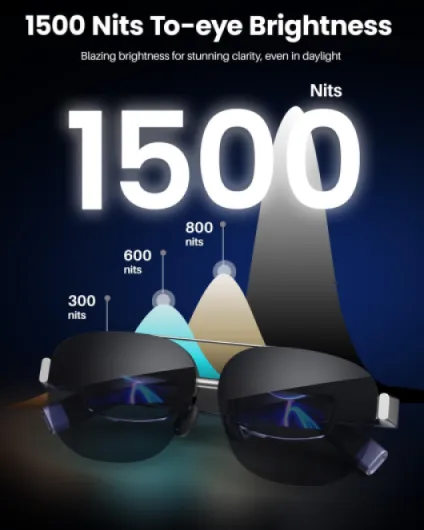
The display is the main reason to buy this, and on that front it’s pretty solid. The 1080p Micro‑OLED panel looks sharp enough that I didn’t notice pixelation at normal use. For movies, blacks are deep, colors look natural, and I never felt like things were washed out. They claim 98% DCI‑P3 and a 200,000:1 contrast ratio—hard to measure at home, but subjectively, dark scenes in shows looked good, not grey. The 6000‑nit peak brightness is overkill for indoor use, but it does help if you’re near a bright window or on a plane with the shade half open. I never had to push brightness to the max.
The 120Hz refresh rate is noticeable when you do anything fast: scrolling through apps, gaming, or even moving the mouse around. Compared to 60Hz AR glasses I tried, motion blur is clearly reduced. I played some lighter Steam games (Hades, Dead Cells) and a bit of Rocket League. No weird smearing, no major latency introduced by the glasses themselves since they’re just a display. If your source device can handle high frame rates, this screen keeps up nicely.
Audio is where it’s more “fine” than great. The dual stereo speakers are built into the arms, so sound leaks a bit. At moderate volume, people nearby can faintly hear what you’re watching, especially in quiet rooms. Quality-wise, mids and highs are clear enough for dialogue and YouTube, but there’s basically no bass. Music sounds thin, and action scenes don’t have much punch. The 11‑level volume control is convenient, and the max volume is enough for a noisy plane, but if you care about audio, you’ll prefer using separate earbuds.
The microphone works, but I wouldn’t use it for serious calls unless you have no other option. People could hear me, but background noise came through more than with my phone or dedicated headset. Overall performance verdict: picture quality and smoothness are the strong points; audio is serviceable but not impressive. If you compare it with something like RayNeo Air 4 Pro, those have better audio features and HDR, so keep that in mind if you’re picky about sound and dynamic range.
What you actually get and how it works
Out of the box, you get the glasses, a USB‑C cable, and the usual manual/quick guide. That’s it. No fancy case in my unit, no extra lenses, no power brick. So be aware you’re mostly paying for the glasses and the panel tech, not a big accessory bundle. The glasses connect via USB‑C DisplayPort (DP), which means they behave like an external monitor to your phone, laptop, or handheld console that supports DP over USB‑C.
In practice, with my Samsung Galaxy S23 and a ThinkPad laptop, it was literally plug and play. No drivers, no apps, just plug the cable and the screen shows up as a secondary display. On the phone, you basically mirror the screen. On the laptop, it shows up as a second monitor in display settings, so you can extend or duplicate. That part is honestly very straightforward. Where it gets messy is device support: if your phone’s USB‑C doesn’t output video (lots of mid-range and budget phones don’t), this thing is basically useless unless you add a separate adapter or dock.
The resolution is 1920×1080 per eye in 2D mode, and 3840×1080 in 3D mode (side‑by‑side style). You’re essentially looking at a floating 1080p screen, which for movies and most games is totally fine. It’s not ultra-HD, but on this kind of small, close display it looks sharp enough. The 120Hz refresh rate is noticeable when you move windows around or play fast games—less blur and smoother motion than the 60Hz glasses I tried before.
One thing I didn’t fully buy is the “works with everything” angle. The compatibility list is quite specific: certain iPhones (with their new USB‑C), Samsung flagships, a few laptops. If your setup matches that list or you know your device supports DP Alt Mode, you’re good. If not, you’re in adapter territory. So as a product, it’s simple and focused: it’s basically a wearable 1080p monitor with built‑in audio. Not more, not less. If that’s what you want, it’s pretty decent. If you expected full-blown AR with apps floating around your room, this is not that.
Pros
- Sharp, bright 1080p Micro‑OLED display with smooth 120Hz refresh rate
- Lightweight (63g) with adjustable nose pads and diopter adjustment for myopia
- Simple USB‑C DisplayPort plug‑and‑play with supported phones, laptops, and handhelds
Cons
- Average audio quality with some sound leakage and no real bass
- Relies entirely on host device battery and only works with USB‑C DP compatible devices
Conclusion
Editor's rating
After using the TOZO VIZO Z1 for about two weeks in real situations—on flights, on the couch, and at a desk—I’d say it’s a genuinely practical wearable display, with a few clear trade-offs. The big strengths are the sharp 1080p Micro‑OLED screen, the smooth 120Hz refresh rate, and the relatively light 63g frame. Movies and games look good, text is readable, and the virtual screen really does feel much bigger than a phone or tablet screen without taking up any physical space.
Comfort is good enough for a full movie, and the diopter adjustment is a big plus if you’re nearsighted. Plug‑and‑play over USB‑C DP works well with supported phones and laptops, so there’s no app mess to deal with. On the flip side, audio is just okay, not great; your phone or laptop battery will drain faster; and compatibility isn’t universal—if your device doesn’t support video over USB‑C, you’ll need extra gear. It’s also not something I’d wear walking around in public; it’s more of a sit‑down, “personal cinema” tool.
I’d recommend it to frequent travelers, people who share living spaces and need a private screen, and anyone who already knows they like the idea of wearable displays. If you mainly work at a desk with a decent monitor, or if your phone doesn’t support DP over USB‑C, I’d skip it or at least budget for adapters and a power bank. Overall, it’s a solid, no‑nonsense portable big screen that delivers on its main promise, as long as you go in knowing its limits.