Summary
Analysis score
Average of the criteria rated below
Is the Luma Ultra worth the money?
Design, RGB flair, and everyday practicality
Power, heat, and real‑world implications
Comfort and real‑world wearability according to buyers
Build quality and what happens when things go wrong
Display quality, 6DoF, and real‑time 2D‑to‑3D
What the Luma Ultra tries to be
Pros
- Bright 1200p micro‑OLED display at 120 Hz with 52° FOV for a large, sharp virtual screen
- Strong gaming and PC integration with SpaceWalker multi‑screen workspace and console compatibility
- Triple‑camera 6DoF tracking and hand gesture support (with Pro Neckband) plus surprisingly capable Harman‑tuned speakers
Cons
- Full feature set depends on additional accessories and SpaceWalker ecosystem, increasing total cost and complexity
- Some reports of confusing or slow support when dealing with hardware defects
- Not the best fit for users who just want a simple, universal plug‑and‑play external display

Specifications
View full product page →| Brand | VITURE |
XR glasses aimed squarely at gamers
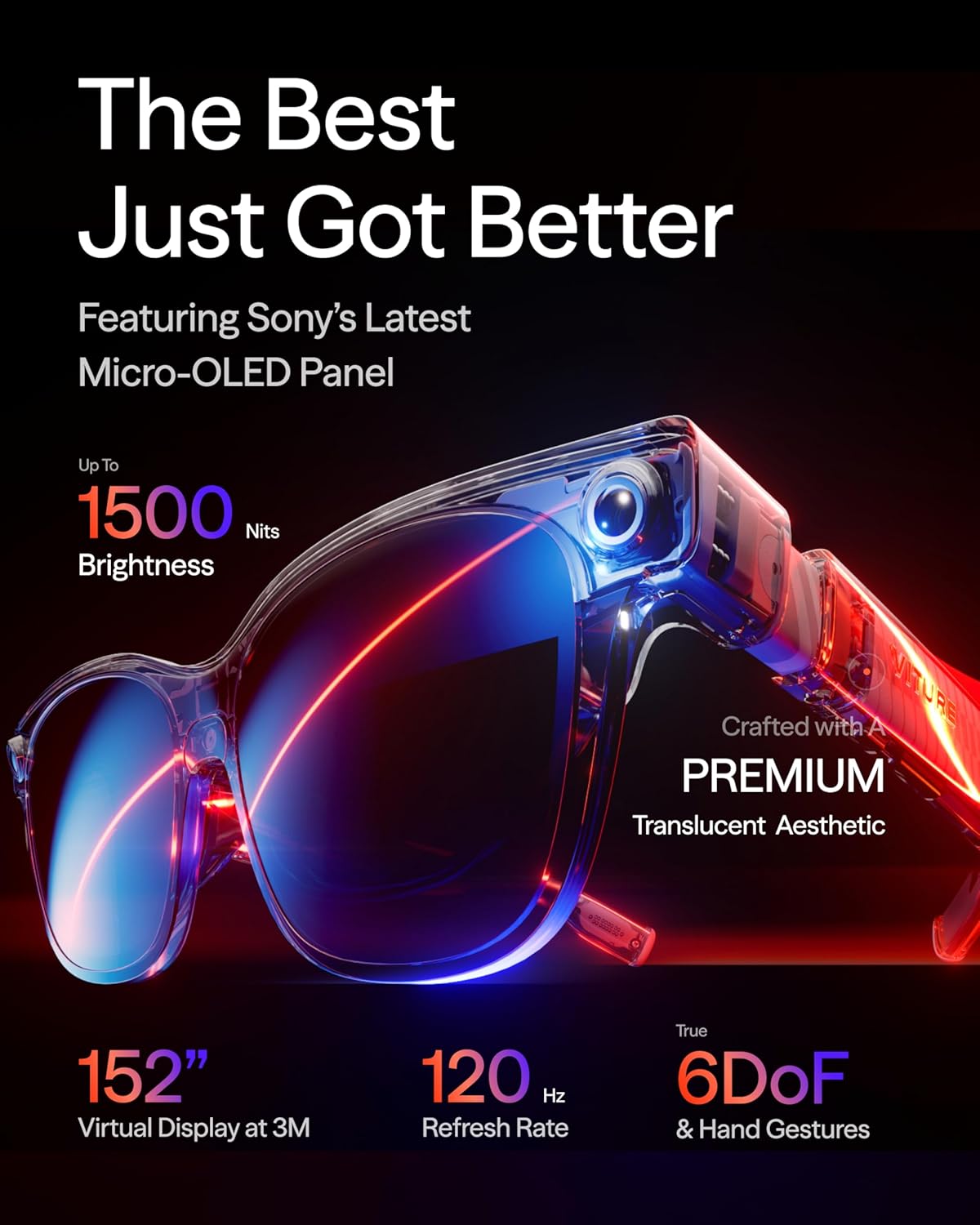
The VITURE Luma Ultra XR Glasses target a very specific crowd: people who want a huge virtual screen for gaming and productivity without wearing a bulky VR headset. On paper, they offer a 152-inch virtual display, 1500 nits brightness, 120 Hz refresh rate, and a 52° field of view, all in an 83 g pair of glasses that plug in via USB‑C. The average rating sits around 3.7/5 from more than 600 reviews, which already says a lot: plenty of buyers are satisfied, but there are clear pain points.
Several positive reviews highlight the sharpness of the 1200p micro‑OLED image, the strong brightness, and the multi‑screen desktop features when used with a Mac or PC. Comments from gamers mention that fine text in demanding titles like Elden Ring stays readable, and that motion at 120 Hz looks fluid. The Harman‑tuned speakers also get praise for having more bass and clarity than people expected from such a small frame.
On the other side, some users point to ecosystem friction and cost. The glasses lean heavily on VITURE’s SpaceWalker software and on accessories like the Pro Neckband to unlock 6DoF tracking and hand gestures, which means the real price of the full experience can climb quickly. There are also reports of support and warranty handling that leave a bad taste when something goes wrong, which drags down the overall impression.
In my opinion, this product looks like a high‑end XR display with strong specs, clearly tuned for gaming and entertainment first, productivity second. It is not a simple plug‑and‑play HDMI monitor replacement, and it’s not priced like a basic gadget either. The key question is whether you are ready to buy into VITURE’s ecosystem and accept some software and support compromises in exchange for a bright, portable cinema‑style screen and spatial features.
Is the Luma Ultra worth the money?
The exact selling price is not listed here, but one 3‑star reviewer mentions that once you include the Pro Neckband, the total cost lands around £1,000. That is a serious amount of money, especially when competing products like simpler XR glasses or portable monitors can cost significantly less. The Luma Ultra tries to justify this with high‑end specs: 1200p micro‑OLED panels, 1500 nits, 52° FOV, 120 Hz, triple‑camera 6DoF, electrochromic lenses, Harman audio, and real‑time 2D‑to‑3D. On paper, the hardware package is strong.
For buyers who left 5‑star reviews, the value seems fair. They talk about the glasses feeling "worth every penny" thanks to the immersive virtual screen, crisp text, smooth motion, and solid audio. Gamers in particular like the compatibility with consoles and remote play, plus the multi‑screen workspace from SpaceWalker when connected to a laptop. For them, the Luma Ultra essentially replaces a big TV or multi‑monitor setup, in a much more portable form, and the cost is easier to swallow.
Others are more skeptical. The 3‑star reviewer points out that to fully access hand gestures and the more advanced 3D/VR tools, you not only need the neckband but often must route your work tools through the SpaceWalker app. In their case (engineering models and professional 3D tools), that limitation was a deal‑breaker, because the software stack was not as open as they expected. They also mention that similar trade‑offs exist in cheaper products, suggesting that for many people, mid‑range XR glasses or simply a good monitor might offer a better cost‑benefit balance.
In my opinion, the Luma Ultra’s value is strongly tied to your use case. If you are a gamer who wants a bright, large virtual screen for consoles, PC, or cloud gaming, and you like the idea of multi‑screen XR workspaces, the feature set is compelling and the price can be justified. If you mainly need a simple, universal external display or are sensitive to ecosystem lock‑in and accessory upsells, this model looks expensive for what you will actually use. The 3.7/5 average suggests that while many buyers are happy, a noticeable chunk feel the cost, ecosystem constraints, or support experience does not fully match the premium positioning.
Design, RGB flair, and everyday practicality
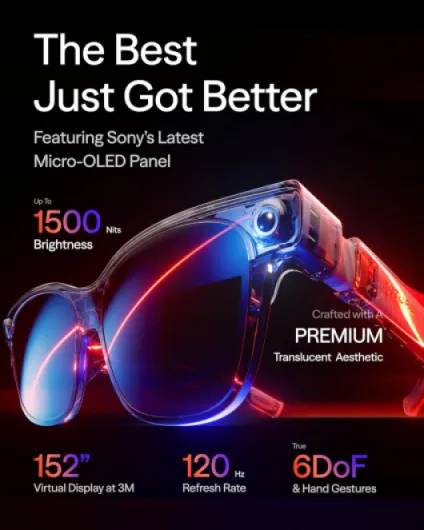
From the spec sheet and customer comments, the Luma Ultra goes for a "techy but wearable" look rather than a discreet pair of office glasses. The frame uses a translucent design with dynamic RGB light effects on the front, which are advertised as customizable and even programmable in future software updates. That clearly targets gamers and streamers who like visible gear. For a business meeting or a plane, some people may find the RGB accents a bit loud, especially if the lighting effects are enabled in dim environments.
The weight is listed at 83 grams, which is relatively light for XR gear but heavier than normal prescription glasses. Several positive reviews say they can wear them for long sessions, describing them as comfortable and well balanced. That said, comfort can vary a lot by head shape and nose bridge, and there are not many detailed negative comments on fit in the sample reviews, so expectations should stay moderate. The electrochromic lens film is a smart choice on paper: it allows the lenses to darken electronically, which should help with contrast in bright rooms or outdoors, and then become more transparent when you want to see more of your surroundings.
Functional design choices include a USB‑C connector built directly into the glasses, small integrated speakers tuned by Harman, and cameras embedded at the front for spatial tracking. There is no built‑in battery mentioned, so the glasses draw power from the host device or from the Pro Neckband. That keeps the weight down but means you are always tethered. The brand also highlights that its new micro‑OLED panels reduce power consumption by about 35%, which should help limit heat and keep the load on your phone or neckband battery lower.
In my opinion, the design message is clear: this is not trying to disappear on your face like a pair of Ray‑Ban smart glasses. It is more of a compact console/PC display strapped to your head, with visible cameras and lighting. For gaming setups, remote play, or watching content at home, that makes sense. For commuting or wearing in public, some people might feel self‑conscious, and the tethered cable will always remind you this is still early‑stage XR and not yet a seamless pair of regular glasses.
Power, heat, and real‑world implications
The Luma Ultra does not list a built‑in battery, and the connectivity is via USB‑C, so power comes from your phone, console adapter, PC, or the VITURE Pro Neckband. The brand emphasizes that the new micro‑OLED panels reduce power consumption by around 35% while allowing peak brightness to reach 1500 nits. In theory, this should help in two ways: less heat at the glasses themselves and reduced drain on the device you plug into, whether that is a smartphone or the neckband.
There are no detailed public reviews giving explicit battery runtimes on particular phones or on the neckband, so expectations have to be set based on typical USB‑C display behavior. Driving high‑brightness micro‑OLED at 120 Hz is still demanding. Even with the claimed efficiency gains, long gaming or movie sessions will draw a noticeable amount of power. For phones, that means faster battery drop; for the Pro Neckband, that means you are limited by its internal battery capacity, which is not detailed here. One important note: the XR USB‑C Adapter Pro is currently described as "charging only", with expanded XR features not supported. That means you cannot just rely on that adapter to offload processing or power management for the glasses.
Heat is another side of the same coin. The manufacturer claims the efficiency improvements allow them to "confidently push brightness" while keeping heat under control. None of the sampled reviews complain about the glasses getting too hot, which is a positive indirect sign, but this is not a large dataset focused on thermals. It is reasonable to expect some warmth near the temples during long, bright sessions, but likely less than in a classic VR headset, simply because there is no full enclosure and presumably no big SoC inside the glasses doing heavy processing.
In my opinion, power and battery behavior here will depend heavily on how you use the Luma Ultra. As a PC or Mac monitor replacement via SpaceWalker, your computer is mains‑powered or has a big battery, so the impact is less critical. As a mobile gaming or streaming display for your phone, you should plan around shorter standalone sessions or carry a power bank. Anyone thinking of all‑day use away from outlets will need to factor in extra charging solutions, because these glasses behave more like an external high‑end display than a low‑power wearable.
Comfort and real‑world wearability according to buyers
Comfort is tricky to judge from specs alone, but a few reviews give some clues. Buyers who left 5‑star feedback often mention that the Luma Ultra sits "comfortably for hours" and feels "well put together". With a weight of 83 g, it is heavier than normal eyewear but lighter than a full VR headset. The absence of a bulky front block like on classic VR headsets should reduce pressure on the forehead, and the weight is likely distributed more like thick sunglasses. Still, individual anatomy matters a lot, and the public comments do not offer a consensus from people with different face shapes, so there is some uncertainty here.
The electrochromic film should help comfort in terms of eye strain. Being able to darken the lenses means you can cut external glare and focus on the micro‑OLED image, which can be useful in bright rooms or under office lighting. On paper, the 1500‑nit brightness and deep blacks of micro‑OLED panels should give a clear picture without needing to max out brightness all the time, which may also help reduce fatigue. One 5‑star reviewer mentions happily using them for gaming and multi‑screen work sessions, which suggests that for at least some users, long stints are doable.
Less visible, but important, is the weight and cable management when you add the Pro Neckband. The neckband is required for 6DoF and hand gestures on mobile, and one 3‑star reviewer points out that this pushes the total investment toward £1,000 when you bundle glasses and neckband. They do not complain about physical discomfort, but they clearly see the neckband as an extra piece of hardware to deal with. Wearing both glasses and a neckband, plus managing the cable, is inherently more involved than just wearing glasses alone.
In my opinion, comfort here looks decent for the category, but not magic. It is still tethered XR gear you feel on your face and around your neck, not invisible eyewear. If you are used to VR headsets, this should feel lighter and less oppressive. If you are coming from normal glasses or no glasses at all, expect some adaptation time. Anyone very sensitive to nose pressure or temple clamping should be ready to tweak the fit or consider whether XR glasses in general are right for them.
Build quality and what happens when things go wrong
The Luma Ultra presents itself as a premium piece of tech, and reviewers who received working units generally agree that the build feels solid and "premium". The frame houses micro‑OLED displays, cameras, speakers, and electrochromic lenses, which is a lot of hardware in 83 g. There is a 2‑year warranty, which on paper is reassuring and aligns with a higher‑end consumer electronics product. However, durability is not just about materials; it is also about how defects are handled, and here the public comments are mixed.
One detailed 1‑star review describes a serious display defect that appeared after some use: a horizontal dark strip across the lower part of the view, ghosting, and faint image remnants on bright backgrounds. The buyer states that the issue persisted across different devices and cables, which points to an internal hardware problem rather than user mishandling. This kind of defect is always a risk with compact high‑resolution panels. What bothered that buyer most was not only the failure itself but the support journey that followed.
According to that report, the buyer contacted support wanting a simple replacement, not a refund. They were promised an email within 24 hours explaining next steps, which never arrived. When they followed up, they were told an "investigation" had been opened, without clear explanation or a straightforward path to an exchange. Because timelines and responsibilities were unclear between Amazon and the manufacturer, the buyer ended up returning the glasses entirely for a refund, stating they had lost confidence in getting a proper replacement. They describe it as one of their worst post‑purchase experiences in years.
In my opinion, that kind of story is important to factor in. It appears to be an isolated case among many reviews, but it highlights a risk: when a complex XR product goes wrong, resolution can be more complicated than swapping a basic monitor. With a 3.7/5 average rating and only a few detailed defect stories visible, the majority of units likely work fine, but the high integration of displays, cameras, and electronics means failures can be difficult to diagnose or fix. If you decide to buy, it is worth keeping all packaging, testing thoroughly early on, and being ready to lean on warranty if you notice even small image anomalies.
Display quality, 6DoF, and real‑time 2D‑to‑3D
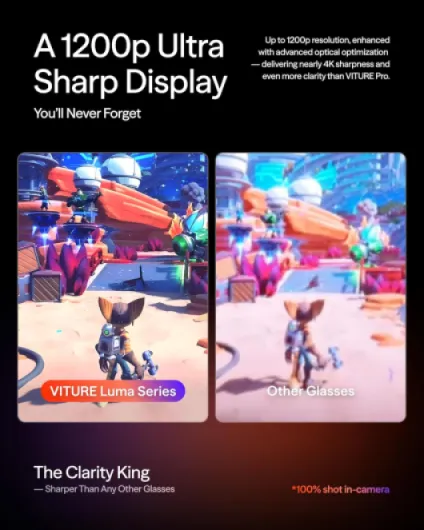
On paper, the Luma Ultra’s performance is its strongest selling point. The specs line up well: 1200 × 1200 resolution per eye at 120 Hz, micro‑OLED panels, 1500 nits brightness, and a 52° field of view. Multiple 5‑star reviews back this up, saying the image is "pin sharp" and "feels close to a 4K monitor" at a 152‑inch virtual size. One buyer notes that small text in complex games remains clear, which is a good sign for both gaming HUDs and productivity tasks like reading code or documents.
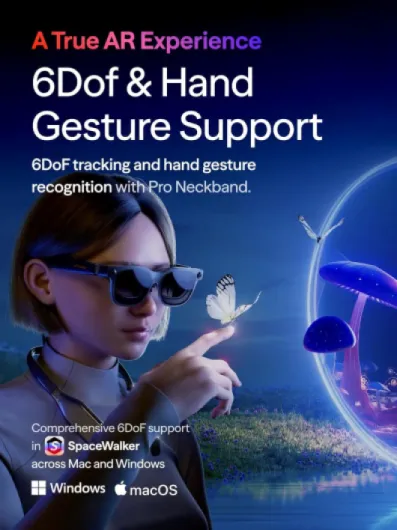
The triple‑camera setup, with a front RGB camera and dual depth cameras, is marketed for "zero drift" 6DoF tracking and hand gesture recognition. Positive comments describe spatial tracking as "rock solid" with no noticeable drift, and moving windows around a room or controlling playback with hand gestures is described as natural once paired with the Pro Neckband. That suggests the spatial computing side is not just a gimmick, at least for people who commit to the full ecosystem. However, one 3‑star reviewer makes it clear that many of the advanced features are tied to the SpaceWalker app and accessories, which can be frustrating if you expected simple plug‑and‑play 3D/VR with existing engineering tools.
The software side is ambitious. SpaceWalker on Mac and PC can create up to three virtual screens, with different layouts like vertical or a "code" mode. There is also the "Immersive 3D" real‑time 2D‑to‑3D conversion, which the brand advertises as the world’s first of its kind. Buyers who mention it seem impressed, describing the 3D effect for both games and streaming content as adding a new layer of immersion. That said, real‑time conversion is always a compromise compared to native 3D content, and without direct measurement, it is hard to gauge how consistent it is across different content types or frame rates.
In my opinion, if you look purely at display and tracking, the Luma Ultra sits in the high end of AR/XR glasses currently on the market. The brightness, refresh rate, and FOV are all attractive for gamers. The main catch is ecosystem dependence: to truly benefit from 6DoF, hand gestures, multi‑screen, and 2D‑to‑3D, you must use SpaceWalker and often the Pro Neckband. For people who just want a simple big screen over USB‑C, that extra layer can feel like overhead rather than added value.
What the Luma Ultra tries to be
The VITURE Luma Ultra positions itself as a hybrid between a portable cinema screen, a gaming display, and an early spatial computing headset. On paper, the main hook is a 152" virtual screen at 1200 × 1200 per eye, driven by micro‑OLED panels with up to 1500 nits of brightness and a 52° field of view. That is wider than many early AR glasses, and clearly aimed at immersion rather than just notifications or small floating windows. The manufacturer claims Hollywood‑grade color accuracy (DeltaE < 2), which, if accurate, should suit both movies and games.
The ecosystem pitch is heavy. The brand advertises the Luma Ultra as "the ultimate ecosystem for gamers," compatible with Switch / Switch 2, PS5, PS4, Android, iPhone 17/16/15 (with some exceptions), Mac, and PC. There is also an official partnership with PXPlay and XBXPlay and a co‑developed XR‑compatible controller with 8BitDo. For desktop users, SpaceWalker software can create up to three virtual screens in different layouts (horizontal, vertical, "code" mode). That is meant to turn any location into a portable multi‑monitor setup.
Beyond display and software, the glasses pack a triple‑camera system: a front RGB camera and two depth cameras. These are advertised for 6DoF spatial tracking and hand gesture support. However, there is a big condition: for mobile use, the Pro Neckband is required to unlock those features. On macOS and Windows, 6DoF is said to work directly in SpaceWalker, with mobile 6DoF "coming soon". This distinction matters, because several reviews show frustration when they realize 6DoF and gestures are not fully available with just the glasses.
Overall, the Luma Ultra tries to be more than just a "dumb" display. It is part of a broader platform with its own software layer (SpaceWalker), accessories (Pro Neckband, XR USB‑C Adapter Pro), and even programmable RGB lighting "coming soon". In my opinion, that makes it interesting for enthusiasts willing to tinker and live in one ecosystem, but it also means more moving parts, more updates, and more chances for friction compared with a simpler, purely display‑only pair of XR glasses.
Pros
- Bright 1200p micro‑OLED display at 120 Hz with 52° FOV for a large, sharp virtual screen
- Strong gaming and PC integration with SpaceWalker multi‑screen workspace and console compatibility
- Triple‑camera 6DoF tracking and hand gesture support (with Pro Neckband) plus surprisingly capable Harman‑tuned speakers
Cons
- Full feature set depends on additional accessories and SpaceWalker ecosystem, increasing total cost and complexity
- Some reports of confusing or slow support when dealing with hardware defects
- Not the best fit for users who just want a simple, universal plug‑and‑play external display
Conclusion
Analysis score
The VITURE Luma Ultra XR Glasses look like a high‑spec, gamer‑focused XR display with some genuinely strong points: bright 1200p micro‑OLED panels, 120 Hz refresh rate, 52° field of view, spatial 6DoF tracking, and Harman‑tuned speakers. Public reviews often praise the sharpness of text, the sense of having a huge virtual screen, and the usefulness of multi‑screen setups on Mac and PC. For console and PC gamers who want a portable big‑screen experience without a bulky headset, the hardware proposition is attractive.
At the same time, the product is tightly bound to VITURE’s ecosystem. To get full 6DoF and hand gestures on mobile you need the Pro Neckband, and to benefit from multi‑screen and many spatial features you need to use SpaceWalker. Some buyers are fine with this and feel they get good value; others are put off by the extra cost, software dependence, and, in rare cases, support interactions that feel slow or confusing when hardware issues appear. The 3.7/5 average rating reflects this split: impressive capabilities, but not without friction.
In my opinion, the Luma Ultra suits tech‑savvy gamers, early adopters of spatial computing, and people who travel a lot and want a portable big screen for work and entertainment. It is less ideal for users who want a simple plug‑and‑play external monitor, professionals with rigid software workflows that cannot easily go through SpaceWalker, or anyone who is very price‑sensitive. If you are ready to pay for top‑tier XR display specs and to live inside one ecosystem, the Luma Ultra is a strong candidate. If you value simplicity, openness, and lower cost above all, it makes sense to look at more basic XR glasses or stick with conventional displays.